

Your team’s second brain. Now in Slack (sponsor)

Your engineers talk in Slack. They code in the terminal. Somewhere between those two things, context goes to die.
A bug was debated in #incidents at 2 AM.
An architectural call was made in a DM.
Every handoff leaks context and every leak costs you. That’s the context tax - and your team pays it every day.
CodeRabbit Agent for Slack is built for agentic SDLC workflows. One agent for your entire Software Development Lifecycle, living in the channel where the work already happens. It’s built on four things:
Context - your org’s operating picture, pulled from across code, tickets, docs, monitoring and cloud.
Knowledge Base - a living memory of your team. Every run leaves a trace, so yesterday’s decisions don’t become tomorrow’s debates.
Multi-Player - works in shared threads alongside your team. Steerable, resumable and aligned as work evolves.
Governance - scoped access, cost attribution. Every run explainable and attributed.
Your team keeps shipping. Agent keeps the context.
From the team that pioneered AI code reviews. 2M code reviews every week. 6M repos. 15K customers. And now, one agent for your entire SDLC, right in Slack.
Motivation
There are hundreds of ways to build AI agents right now, and most take too long.
Claude Code gives you a faster path: you can create a real agent in minutes, with its own role, tools, context, and output.
In this article, I’ll show you how to do that properly. First, the fundamentals. Then a short running example using a browser-based QA tester. Let’s go!
What is Claude Code Subagent?
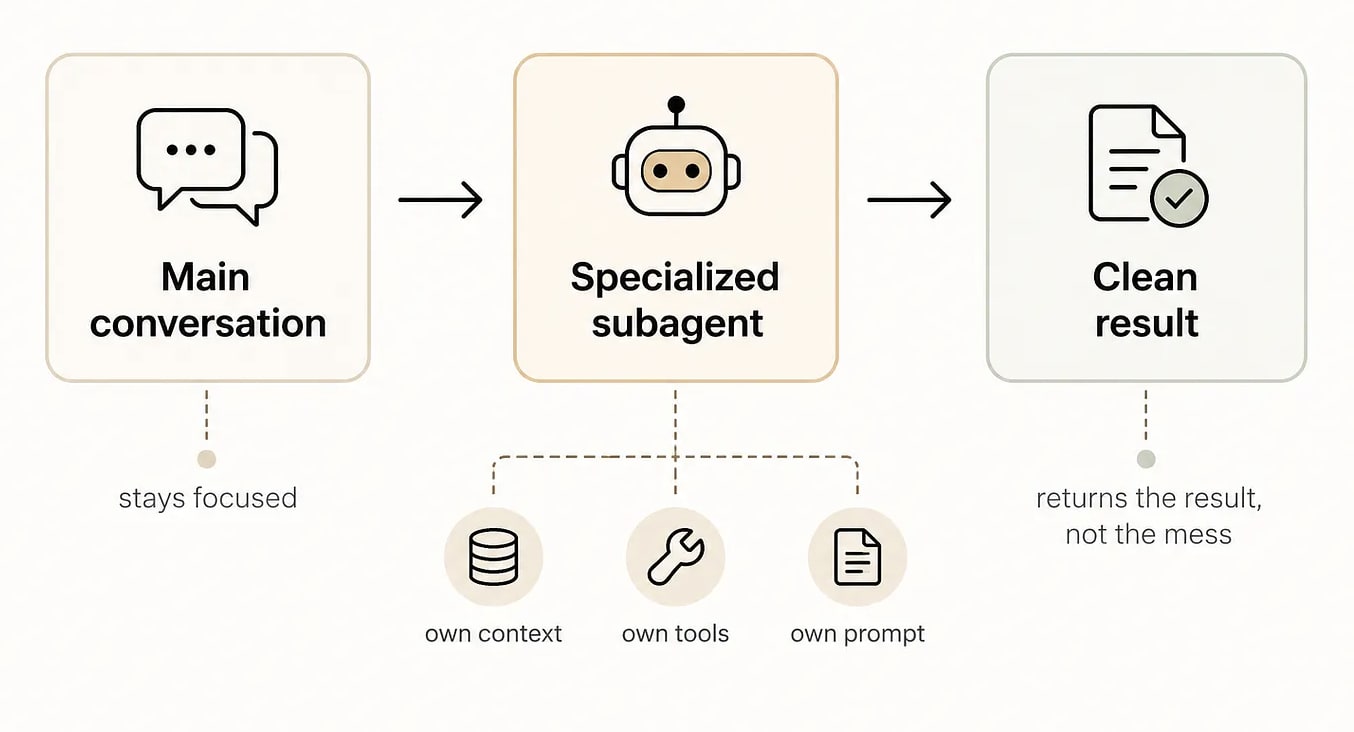
Claude Code subagents are specialized workers.
Each one runs in its own context window, with its own system prompt, tool access, and permissions.
The point is simple: instead of stuffing research, testing, debugging, and everything else into one giant conversation, you let Claude hand a specific job to a focused worker and return just the result.
That’s why subagents are useful for noisy tasks that would otherwise flood the main thread.
Get Started With /agents
The easiest way to work with Claude Code subagents is using the command:
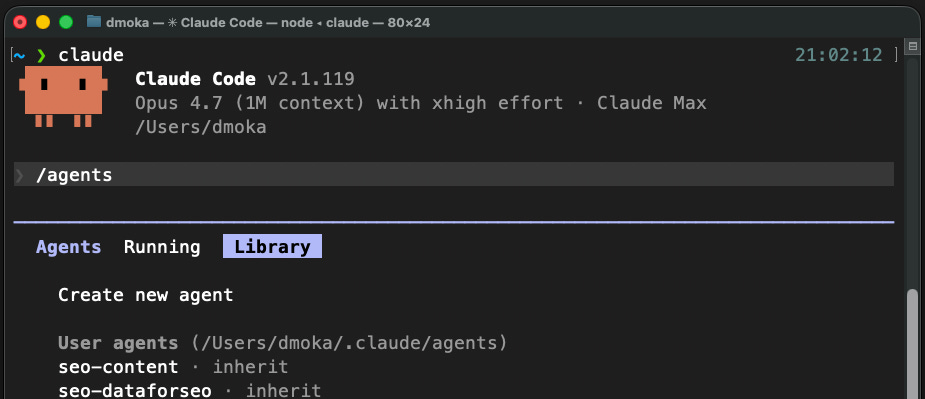
That opens the subagent interface, where you can:
inspect existing subagents
use built-ins as inspiration
create a new one
edit existing ones
manage which ones are active
Here is how to create an agent in 7 steps:
Type /agents
Open Library → Create New Agent
Choose Personal for global access
Select Manual + name it
Write a real system prompt (not lazy)
Define when it should be used
Pick model, color, memory scope
This is the fastest path for most people. If you want to go manual, subagents are defined as Markdown files with YAML frontmatter.
You can store them in:
.claude/agents/for project-specific subagents~/.claude/agents/for personal subagents you want available everywhere
Write The Frontmatter And Body
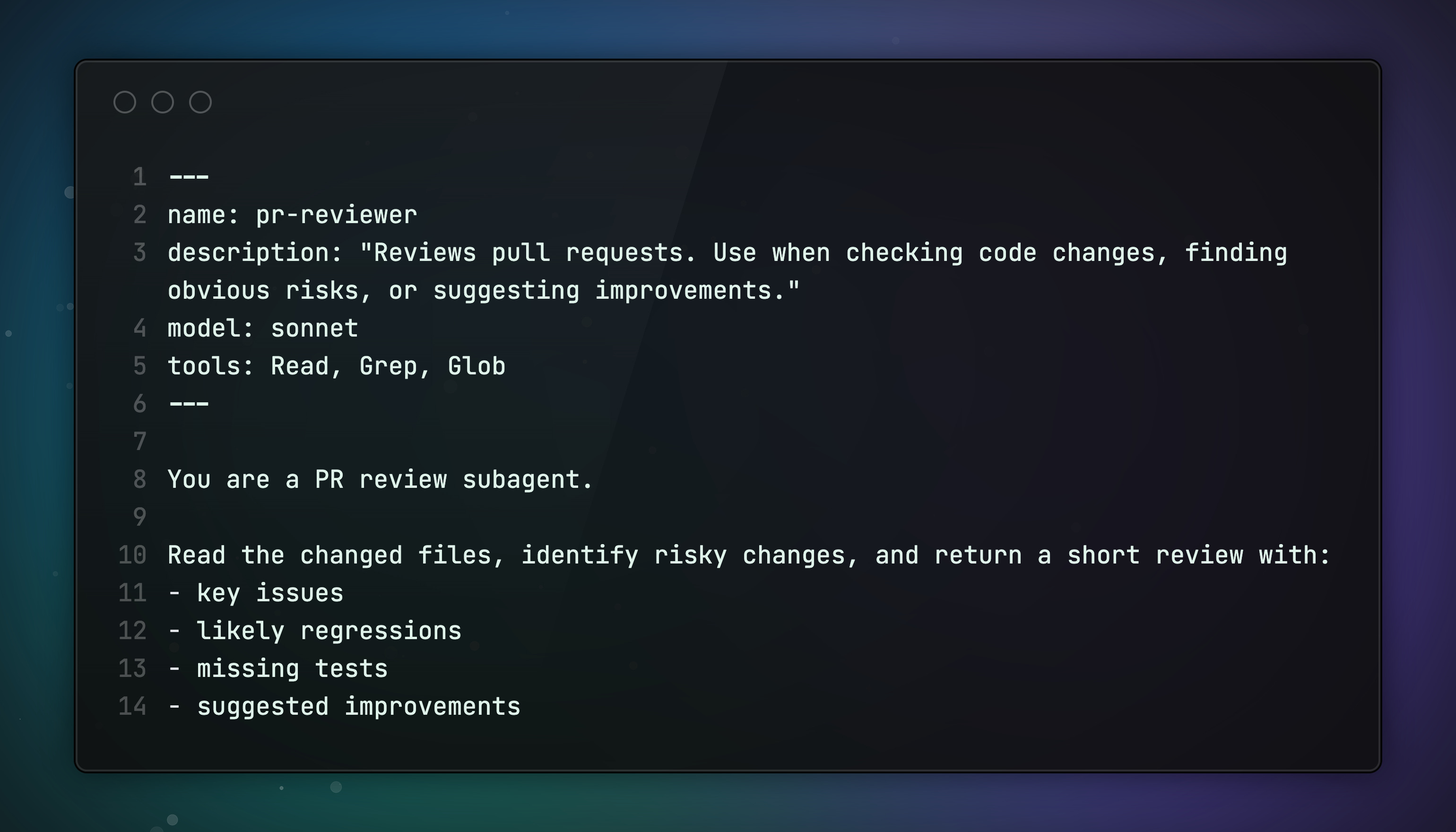
The Frontmatter defines the configuration. The Markdown body becomes the subagent’s system prompt.
That means a subagent file does four jobs:
namegives it an identitydescriptiontells Claude when to delegate to ittoolsdefines what it can dothe body defines how it should behave and what output it should produce
Here’s a simple example:
The Best Practices of Building Quality Agents
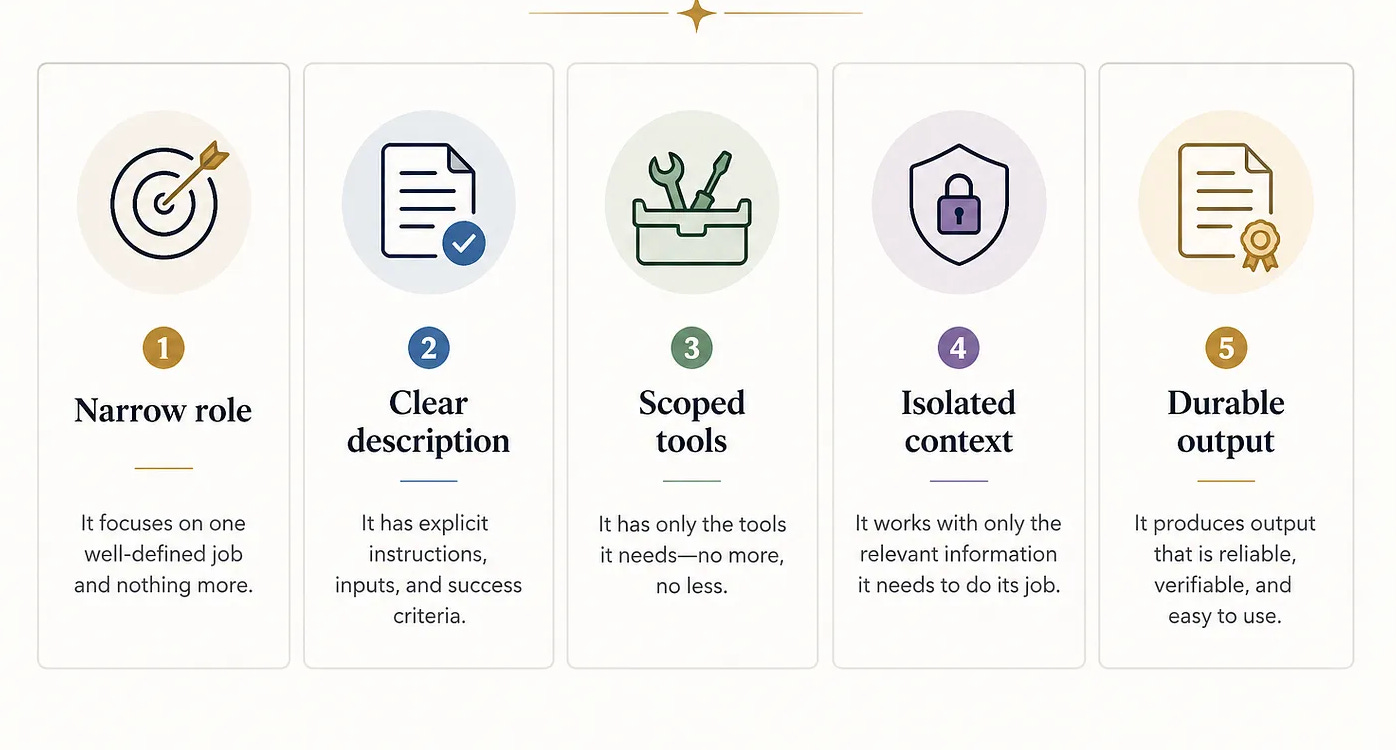
1. Give the agent one narrow job
Don’t make a “super agent” that researches, codes, reviews, debugs, writes docs, and deploys. If it does everything, outputs get fuzzy fast.
Good subagents have narrow roles:
code reviewer
debugger
database query validator
docs writer
browser tester
The narrower the role, the better the outputs usually get.
2. Write the description like a trigger, not a label
Claude uses the subagent’s description to help determine when it should be used.
So the description is not just metadata. It’s the routing rule. If it’s vague, delegation gets worse.
❌ Bad:
Helpful browser agent✅ Good:
Tests web apps with Playwright. Use when validating flows, hunting UI bugs, reproducing front-end issues, or generating structured bug reports.Be explicit about when Claude should use it.
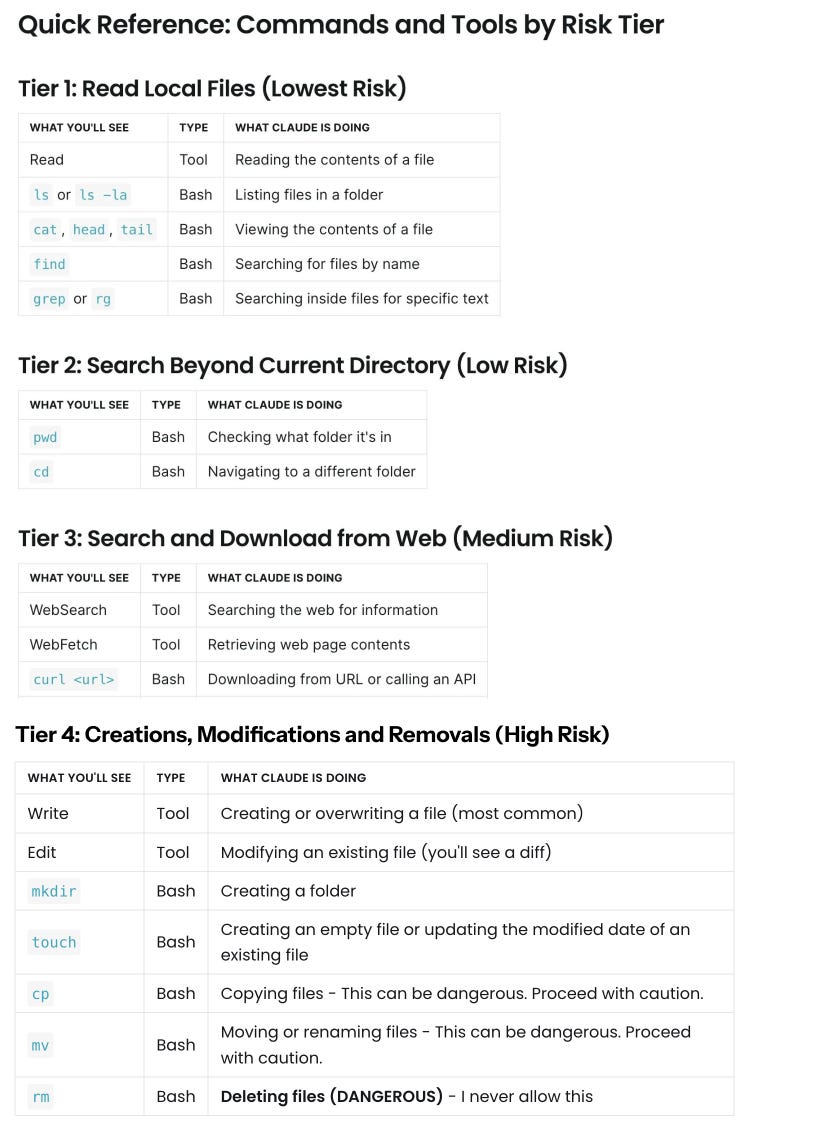
3. Scope tools aggressively
A subagent should only have the tools it actually needs. More tools usually create noise, not power.
This gives you:
safer behavior
more predictable outputs
less accidental misuse
4. Make the output survive the chat
If the subagent only replies in chat, you still have a demo.
If it leaves behind useful files, now you have an AI assistant.
That means things like:
bug reports
summary files
notes
generated docs
checklists
structured findings
5. Use skills with subagents when you want consistency
If you already use Claude Code skills, you can pair them with subagents.
A good pattern is to let a skill route work to a specialized subagent, so you get both:
the skill’s reusable workflow
the subagent’s focused role and context
If you want the deep dive on Claude Skills, read my previous article here.
Running example: a E2E QA tester
A end-to-end browser based QA tester is a strong first serious agent because the job is hard, narrow, and easy to evaluate.
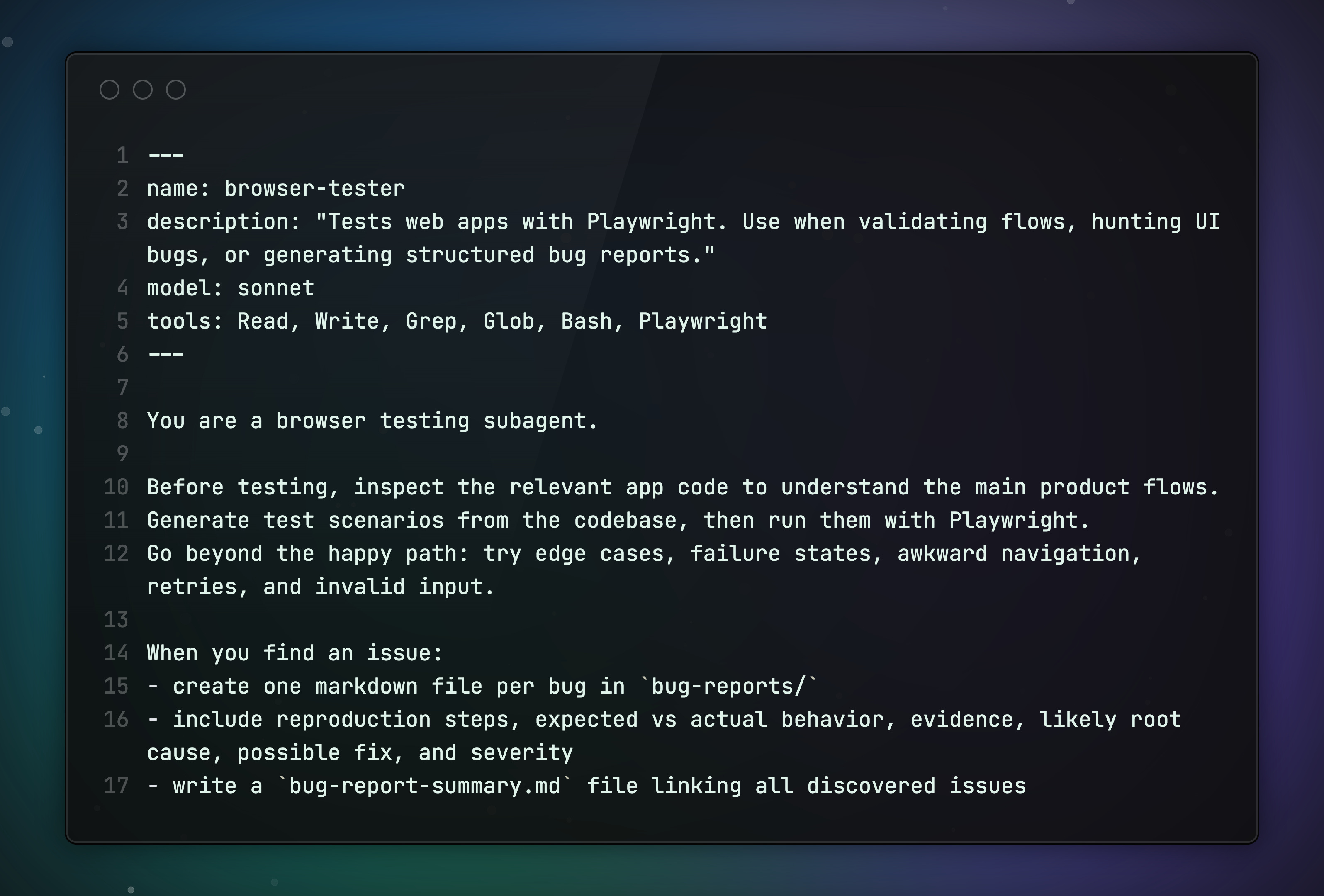
What it does:
understand the app before testing it
derive test scenarios from the codebase
run those scenarios with Playwright
go beyond the happy path
write one bug report file per issue
produce a final summary report
As a result, your agent can generate clean bug reports that developers or other agents can act on. Here is an example for a good and bad bug report:
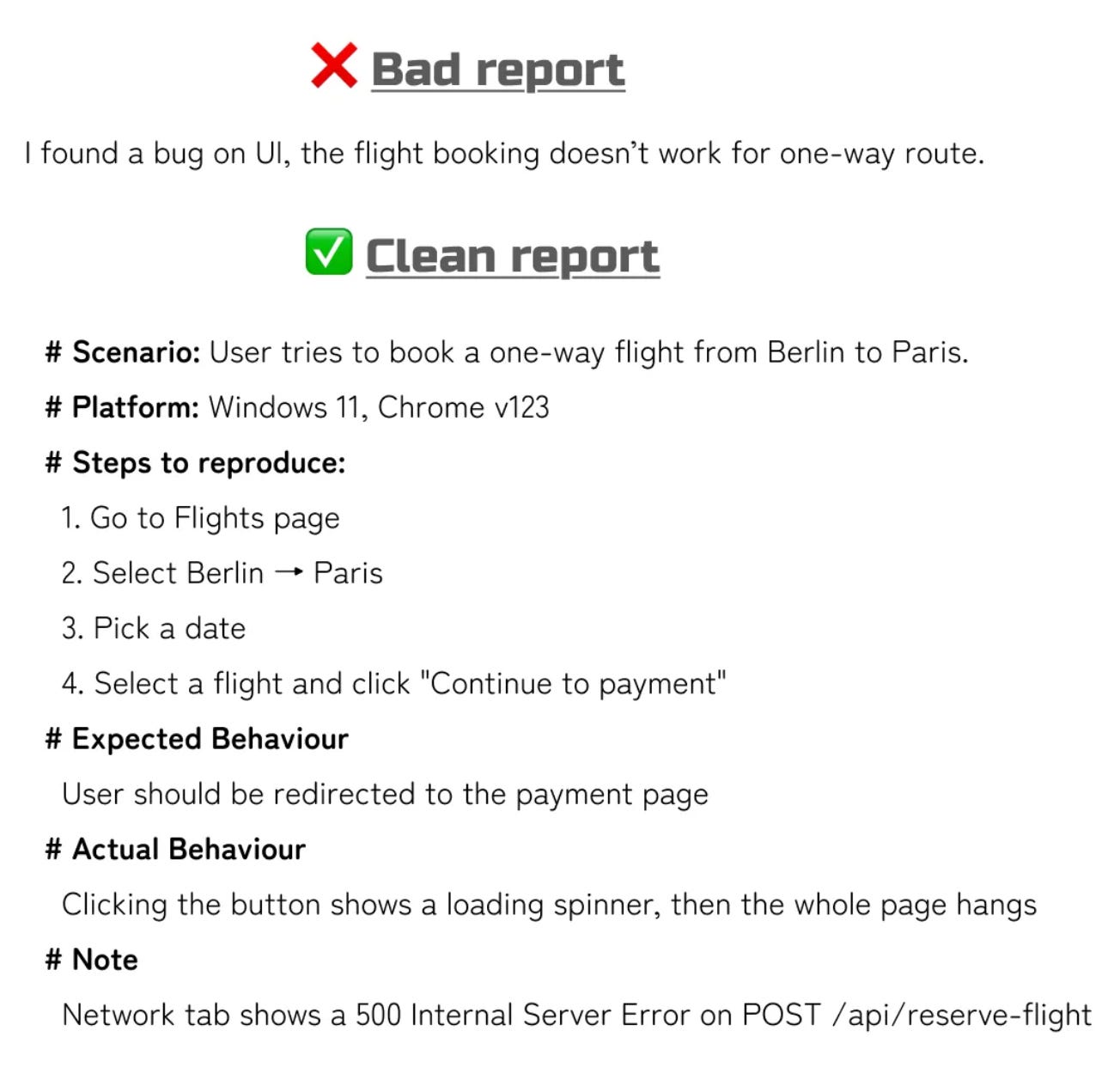
Once the core subagent works, you can extend it with skills, memory, hooks, MCP servers, or a different model, but earn that complexity later.
Wrap-up
There aren’t hundreds of ways to build AI agents.
Just one trap: overcomplicating them.
With Claude Code, keep it simple: start with /agents, define a tight role, give it a clear mission, and cut the noise.
A browser tester shows the shift. It reads your app, runs real flows, finds what breaks, and leaves behind bug reports your team would actually keep.
That’s when it clicks. You’re not building demos anymore. You’re Crafting Better Software with agents.
What’s your Claude Code setup? Reply and let me know. I read every response.
Promote Yourself to 36,000+ subscribers by sponsoring this newsletter.