

Professional Headshots In Seconds (sponsor)
Turn any selfie into a professional photoshoot, in seconds. Upload your photos, choose your styles, and receive dozens of high-quality headshots.
Perfect for CVs, LinkedIn, business portfolios, and all your social media profiles.
Subscribe now and get 12 FREE Christmas-style photos, just in time for the holidays.

Motivation
Coding as we knew it is dead. Two years ago, AI helped me name variables. Today, it writes 90% of my code.
If you’re still against AI at this point, you’re falling behind.
Top developers don’t use AI as fancy autocomplete. They use agents, clear specs, and modern models to solve real problems fast.
That mindset shift is already non-negotiable.
In this issue, I’ll show you the Vibe Coding Stack for 2026. Practical tools. Clear use cases. Pro-level tactics.
And at the end, I’ll show you one bonus tool that cuts deployments and CI effort to almost zero.
Let’s start.

Claude Code
I tried Copilot, Cursor, Windsurf, Tabnine, Codeium, everything. Claude Code is the one that makes me feel like I actually have an engineering partner.
6 Ways to Get the Most Out of Claude
1. Use the VS Code extension
Install the Claude Code extension and open separate windows for different parts of your project. It gives Claude direct context from the actual code you’re editing.
2. Create a Claude.md file
This acts as Claude’s onboarding sheet for AI. Include project goal, tech stack, repo layout, conventions & rules like TDD, naming or commit style.
By using a Claude.md file, you will stop repeating instructions.
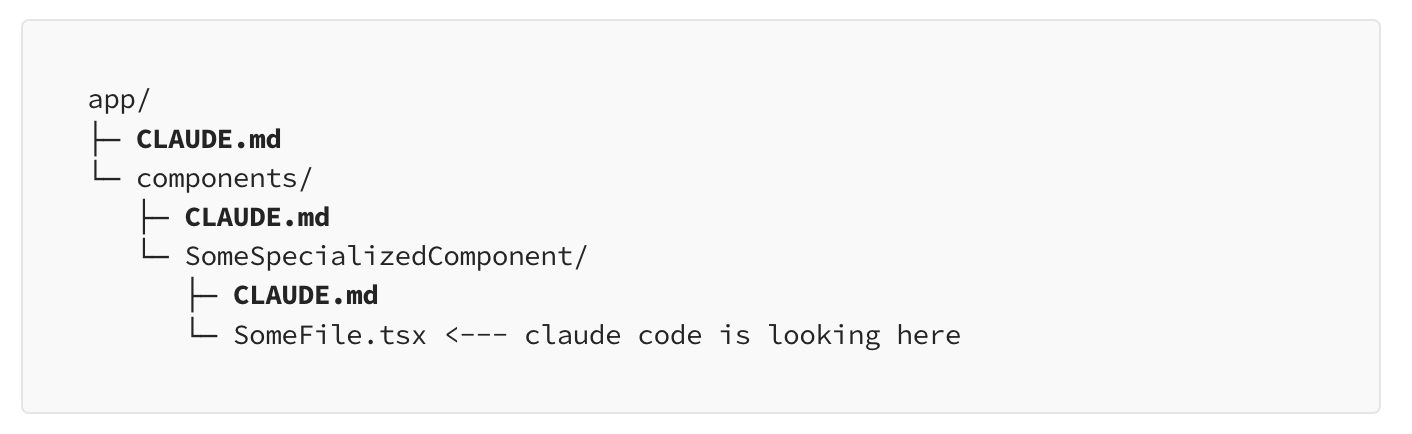
💡 Pro tip: Consider using nested Claude.md files so Claude can navigate your codebase and pull in richer context as it works.
3. Use the flow: Explore → Plan → Code
Instead of saying this to AI:
“Implement X”
Say this:
“Explore existing solution → make a plan → implement.”
This leads to fewer mistakes, cleaner code and better architecture decisions. AI starts behaving like a senior engineer thinking before typing.
You should also switch on Plan Mode (Shift+tab) before starting a bigger task.

4. Use /clear often
Context is Claude’s strength, but also its weakness. Over time, conversations drift. Details blur. Costs go up.
The “/clear” command acts as a reset button, refreshes context, reduces hallucinations and saves a big amount of tokens.
5. Build custom slash commands
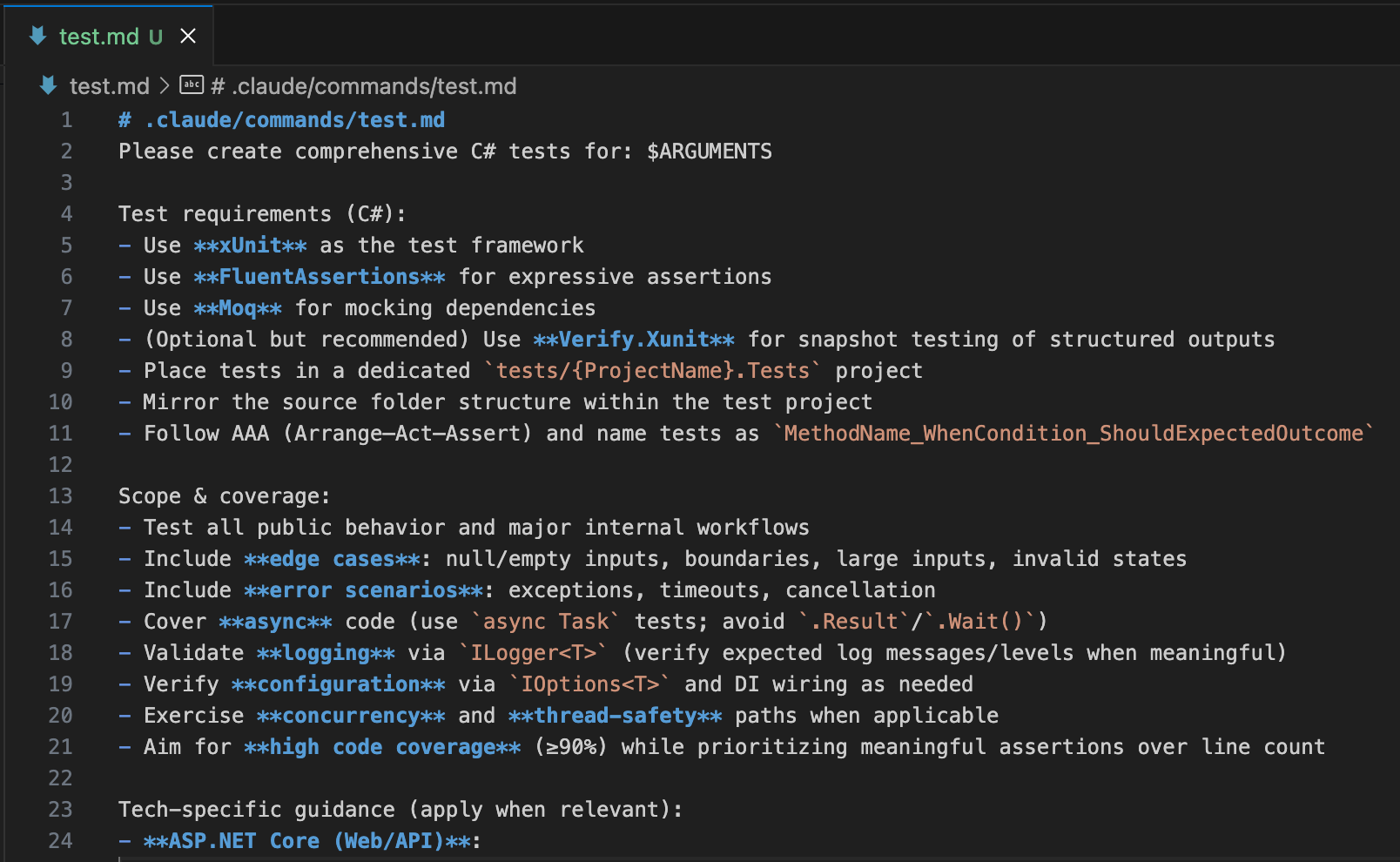
Store reusable workflows inside .claude/commands/.
Examples:
“Generate tests for this module”
“Analyze logs and summarize errors”
“Rewrite this according to our style guide”
You turn repeated tasks into one-word triggers. That’s how real leverage compounds.
6. Give Claude screenshots
A picture says more than 1000 words. Paste UI bugs, logs, diagrams and console errors. Claude interprets visuals instantly.
Less explaining. Better insight. Faster fixes.
Cursor
I use Claude and Cursor side-by-side, but for different purposes.
Claude Code is perfect when I need a one-shot solution: spinning up multiple terminal sessions, running commands in parallel, or analyzing a full codebase quickly.
Cursor is the opposite, it’s built for working in small, iterative increments. It helps you refine code gradually, one change at a time.
In 2025, developers don’t get paid for writing code anymore. AI writes code. Your real job now is reviewing, improving, and ensuring correctness.
Cursor is the best review-centric AI tool available today.
Tips to Get Maximum Leverage
Configure rules
Rules provide system-level instructions to Cursor agents. They are persistent context, preferences, or workflows for your projects.
You can easily create them by using “New Cursor Rule“ command.
Optionally, you can also nest them. Nested rules automatically attach when files in their directory are referenced.
Example:
---
alwaysApply: true
---

# Function Design Rules
- Prefer pure function with no side effects
- Use intention-revealing names relating to the business domain
- Limit the number of params in functions
- Reduce nesting with a return early
- Avoid boolean flag parameters
- Use comments sparingly

@productService.ts
Best practices to write great rules:
Keep rules under 500 lines
For each rule, configure rule type about when to apply
Provide concrete examples or referenced files
Avoid vague guidance. Write rules like clear internal docs
Reuse rules when repeating prompts in chat
Use .cursorignore + cursorIndexing
What you hide matters more than what you show to AI.
generated code
node_modules
API clients
build artifacts
Why? Because Cursor reads everything and tries to be consistent with everything.
The smaller the context, the better its judgment.
Terminal AI Is Insanely Good

You don’t need to memorize complex CLI and Git commands anymore. The built-in terminal AI is my favorite.
You can ask AI for CLI commands like
List my five most recent git branches
Show me which processes are using port 3000
Check logs of the most recently started docker container
Git stash only the staged files
It feels like magic. Try it!
Command-K for surgical edits
This is Cursor’s secret weapon. Use it when you know exactly what needs to change.
How to use:
Select the code snippet
Press Command + K
Tell Cursor what to change
Example:
“Make all fonts smaller except the main paragraph.”
No searching. No grepping. No scrolling through 50 files.
Just one precise modification.
BugBot
Bugbot is an LLM-based review tool, to review pull requests and identify bugs, security issues, and code quality problems. So far it helped me to find missed null checks, detect wrong iteration boundaries or fix wrongly handled async code.
BugBot is powerful, but for real code review, I use something even better.
Let’s jump to that next.
CodeRabbit

Everyone is building the next AI review tool. Most are sloppy. But my absolute favourite is CodeRabbit.
Tips to get the most out of CodeRabbit:
Talk to CodeRabbit via GitHub PRs
Install VS Code extension for quick one-click fixes
Use the CLI version to make it work with Claude Code
Use MCP servers to connect to Figma, Confluence and internal wikis
Create custom review instructions
And the cool thing is that the basic review features of CodeRabbit are free to use.
Start using CodeRabbit for FREE

The Ultimate Vibe Coding Flow
AI won’t work. Unless you know how to use it.
This is how we vibe code in 2025 in nine steps:
Draft a prompt
Let Claude Code refine it with context
Feed the new prompt back in
Say: “Analyze. Make a plan. Then implement.”
Review with CodeRabbit CLI
Apply fixes provided by CodeRabbit
Review code yourself
Test the hell out of it
Ship. Iterate.
AI won’t replace software engineers.
But an engineer using AI will.
The Vibe Coding Tech Stack
I use these AI-powered tools across all languages (f.e.: Rust, C#, JS/TS, Bash), but my preferred tech stack is the following:
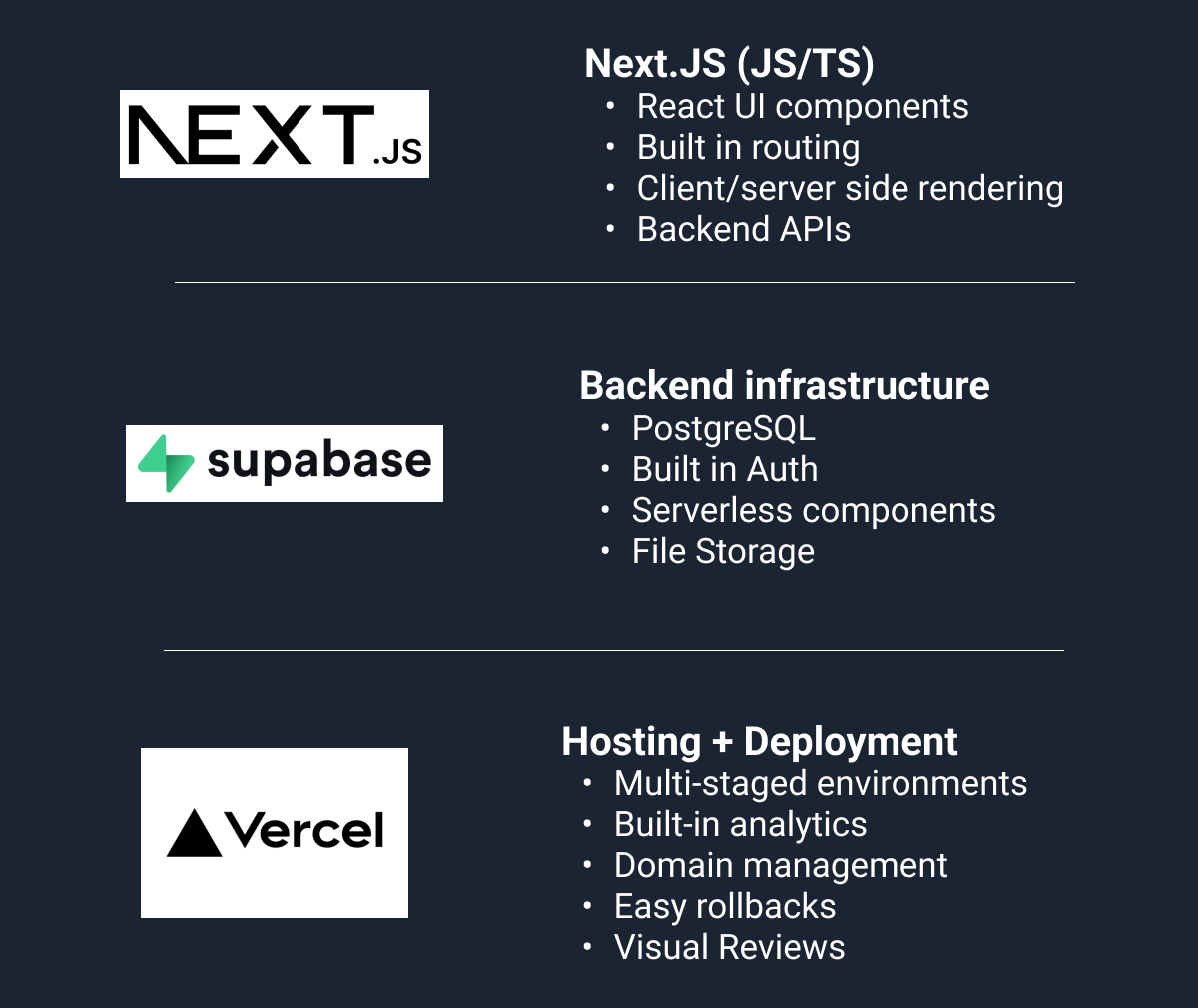
AI performs best on this stack, because it’s trained on it more than anything else.
One prompt can add a full feature: UI → backend → DB → tests.
Deployment takes under 1 minute with Vercel. Environments are one-click. CI is automatic, no setup, no YAML hell.
And Vercel gives you built-in visual reviews, so every UI change can be reviewed before shipping.
This stack removes 90% of traditional DevOps.
You focus on shipping. AI handles the rest.
Conclusion
In 2025, the work of writing code is automated. The real advantage is knowing how to review, refine, and guide code creation.
Claude, Cursor, and CodeRabbit are bleeding-edge AI tools that turn you from an “AI user” into an “AI supervisor.”
Once you master that shift, you move from writing code to shaping systems, and Craft Better Software.
So far, the AI tools here are for software engineer, I’ve explored the ai tools by non tech users and the products build though not perfect are mind blowing
Your framing of Claude Code vs Cursor is exactly right - one-shot solutions vs iterative refinement. I've landed on a similar split in my workflow.
The nested Claude.md tip is gold. I started with a single file but it got unwieldy at 200+ lines. Now I have domain-specific instruction files that Claude pulls in based on context.
The Explore → Plan → Code flow you describe has become non-negotiable for me. Before I learned this, I'd give Claude a task and watch it go in circles. Now plan mode is where I spend most of my prompting effort.
I wrote up my honest assessment of what actually works with Claude Code: https://thoughts.jock.pl/p/claude-code-review-real-testing-vs-zapier-make-2026