

The Best Way To Build Any App (Sponsor)

Treat your app like an Orchid: A beautiful flower that needs sunlight and a bit of water 🌸.
Most “AI builders” make you grow your app in their pot. Same stack. Same limits. Same rules. And on their databases. Orchids is different:
It’s your build space, set up your way.
Build anything, Web app, mobile app, Slack bot, Chrome extension, Python script, whatever.
Bring your own AI subscriptions so you’re not paying twice.
Plug in the database you already use and trust.
Use any payment infra you want.
Try Orchids.app and build it the way you were meant to
Motivation
Most developers use Claude Code like a chatbot. They type a prompt, it changes their code, then that’s it.
That’s 10% of what it can do.
I've been using Claude Code daily on production Rust, Python and JavaScript codebases across several repositories with millions of lines of code. After months of trial and error, I found 5 features that completely changed how I work with it.
Let’s start.
1. Nested CLAUDE.MD Files
Most developers create one CLAUDE.md and forget about it. But Claude Code has a loading system that’s way smarter than that.
When you start a session, Claude walks UP the directory tree and loads every CLAUDE.md it finds. Then it lazily loads CLAUDE.md files in subdirectories only when you touch files there.
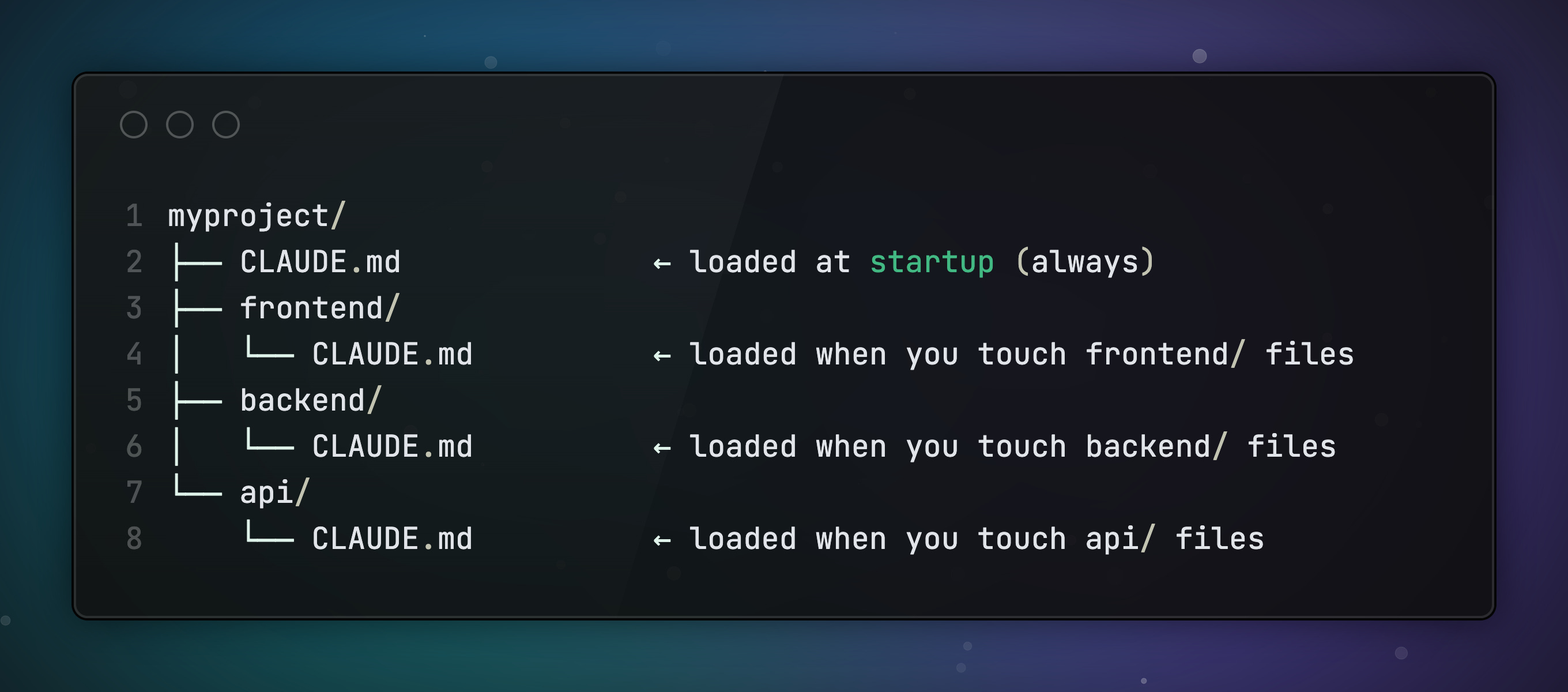
Why this matters: In a monorepo, if you’re working in frontend/, you get the root-level conventions plus the frontend-specific rules. You never get backend/CLAUDE.md polluting your context.
Context is precious. Claude’s loading system protects it automatically.
Here’s what to put in each level:
👉 Root CLAUDE.md — coding standards, commit format, architecture overview, common gotchas
👉 Component CLAUDE.md — framework-specific patterns, testing setup, naming conventions for that area
👉 CLAUDE.local.md — your personal preferences. Add it to
.gitignoreso teammates don’t inherit your quirks.
Here are a few lines as example from a Claude.MD file for a project i work on:
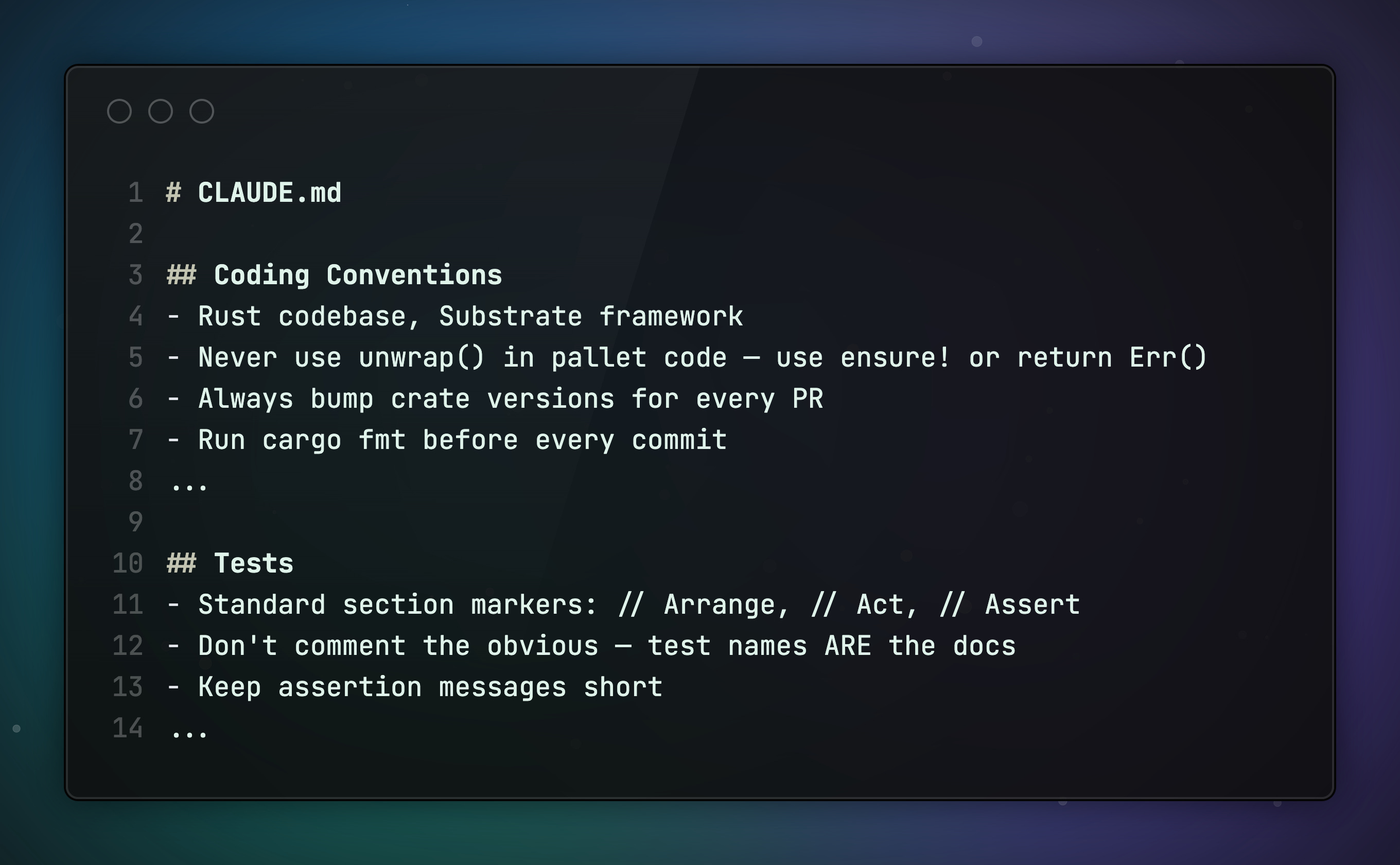
The secret is simple: short, opinionated and actionable Claude.MD files.
2. Skills Turn Repetitive Work Into One-Slash Triggers
Every developer has workflows they repeat. Reviewing PRs. Running debug steps. Generating tests.
Claude Code lets you save these as skills. They are markdown files that you trigger with a / slash.
If you’ve seen older tutorials mention
.claude/commands/, that still works. But Claude recently merged commands into skills.
Skills are the recommended path going forward because they support things commands couldn’t: supporting files (templates, scripts, examples), auto-discovery by Claude, and control over who can invoke them.
Here’s one I use constantly:
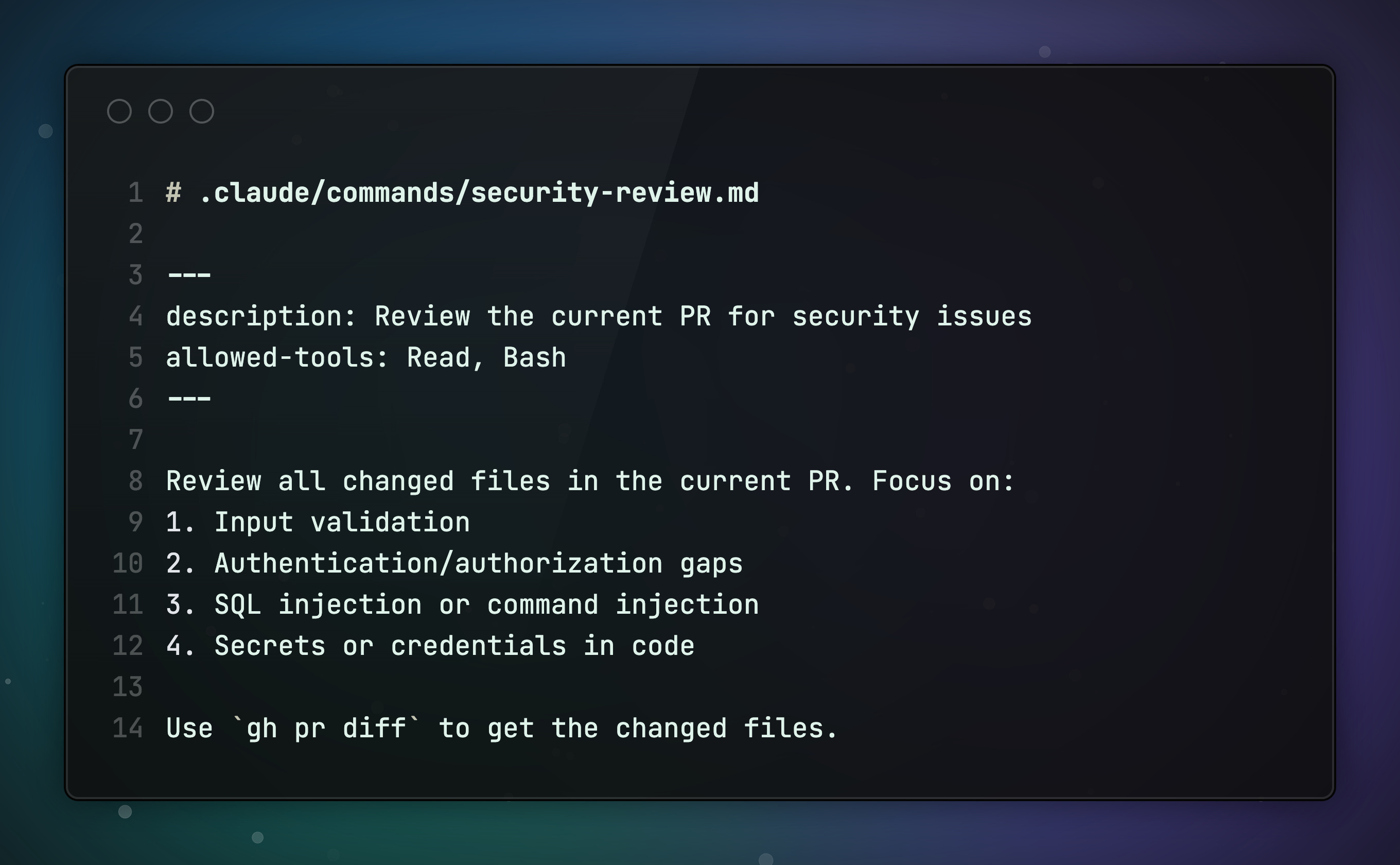
Save it. Now /security-review gives you a full security audit. Every time.
The key advantage of skills: Claude can auto-discover them. If the description matches what you're asking, Claude loads the skill automatically.
💡 Pro tip: Add context: fork to the frontmatter (block between --- markers). This runs the command in an isolated context, so it doesn’t pollute your main conversation:
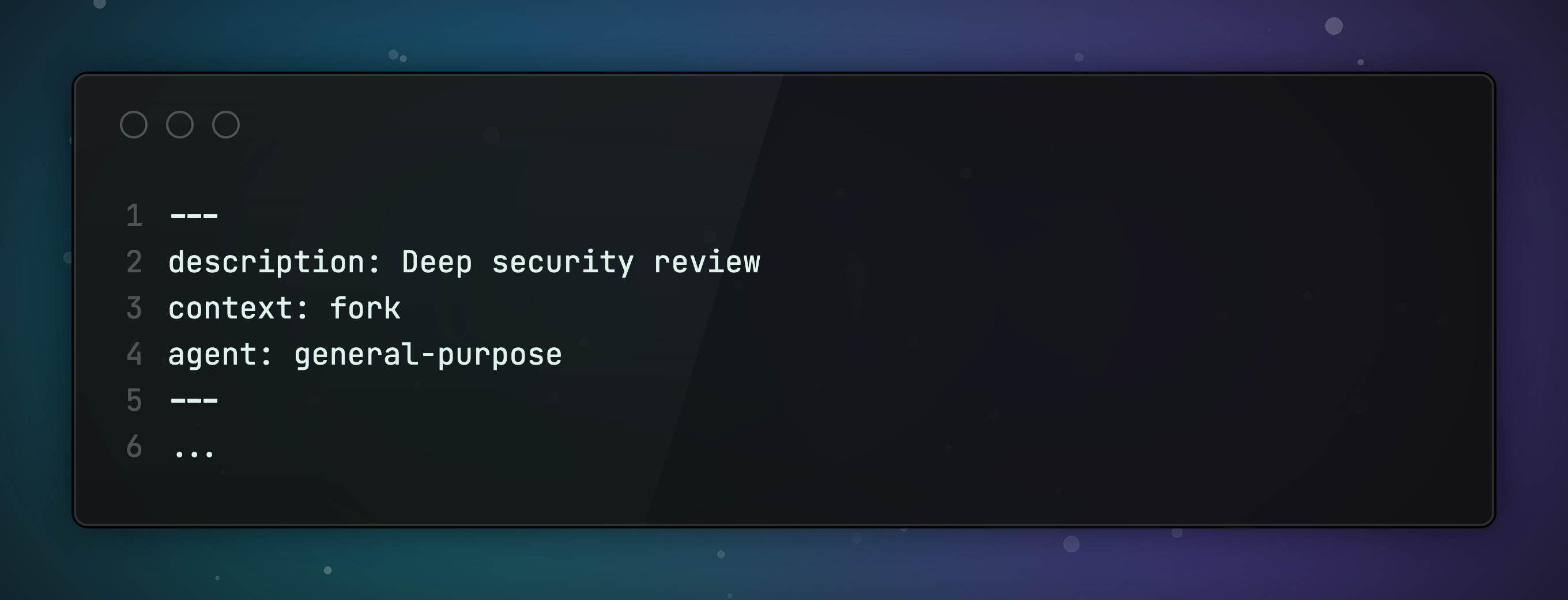
To create new skills use the skill creator skill. It also helps iteratively improving them.
You can build skills for anything:
Analyzing server logs
Generating test suites
Running common debug steps
Creating documentation
One file. One slash. Done.
3. Subagents Give You Parallel Brains
This is where Claude Code gets seriously powerful.
A subagent runs in a completely fresh context. Separate memory. Separate tools. Separate conversation. It’s like having a second engineer working alongside you.
Claude Code ships with built-in agents:
Explore: uses Haiku (fast + cheap), read-only. Perfect for codebase research
Plan: read-only research mode. Designs before coding
Bash: runs terminal commands in isolation
But the real power is building your own:
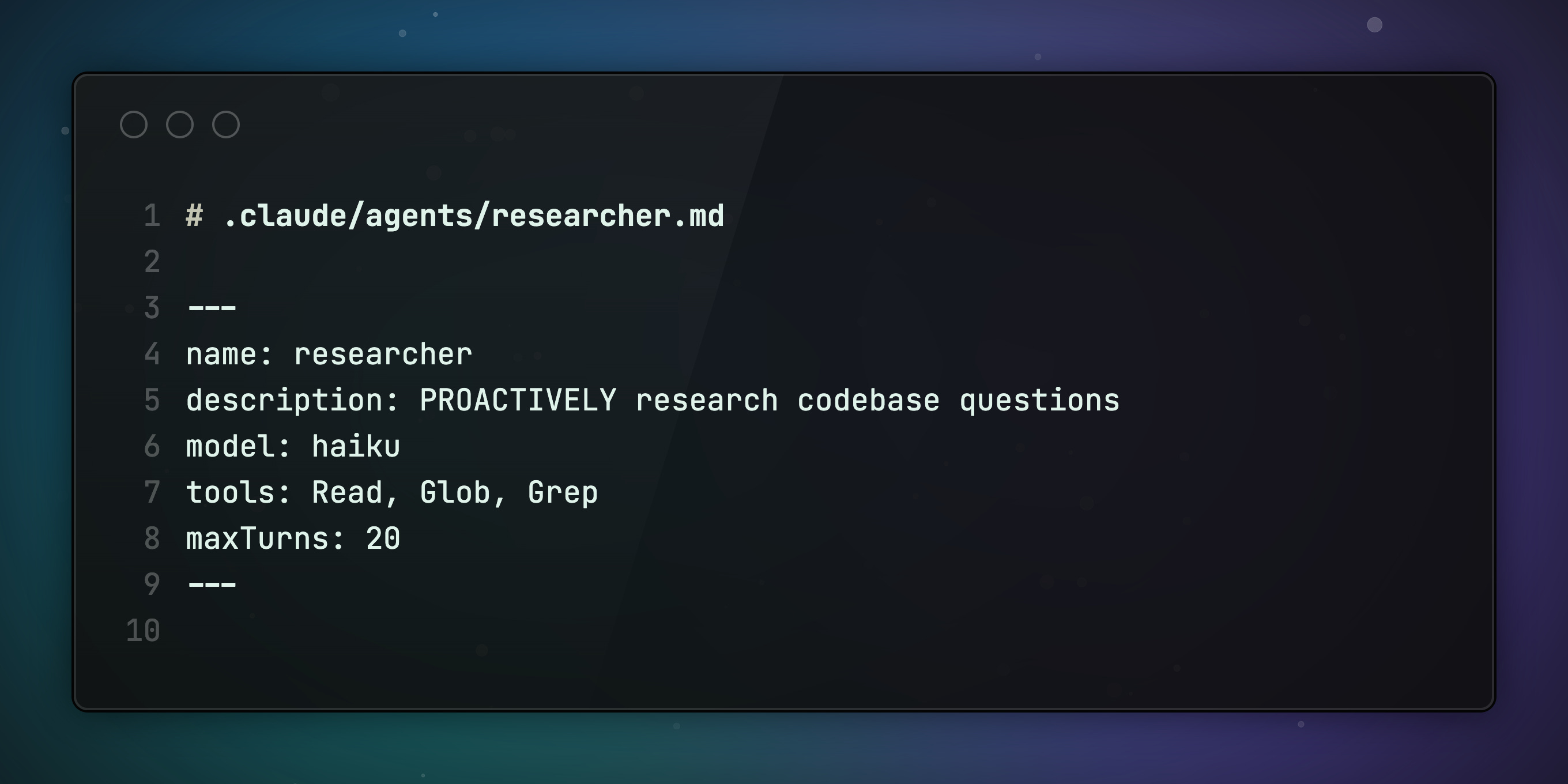
The word "PROACTIVELY" in the description is key. It tells Claude to automatically spawn this agent when it needs to explore code. No manual trigger needed.
Here’s what happens:
You ask Claude to implement a feature
It spawns the researcher agent (Haiku, read-only, cheap)
Researcher explores the codebase and reports back
Main agent writes code with full context
Fast model for research. Smart model for writing. Right brain for the right job.
4. Install 3 MCP Servers, Not 15
MCP (Model Context Protocol) servers connect Claude Code to external tools. Databases. Browsers. Documentation APIs.
The temptation is to install everything. Don’t.
A Reddit thread with 682 upvotes said it best:
“Went overboard with 15 MCP servers thinking more = better. Ended up using only 4 daily.”
Every MCP server eats context. More servers = more tool descriptions loaded = less room for your actual code.
Here are the 3 that actually earn their context cost:
👉 Context7 : fetches up-to-date library docs. Prevents Claude from hallucinating APIs that were deprecated two versions ago.
👉 Playwright : browser automation. Claude can screenshot, click, fill forms, and verify UI changes actually work.
👉 Chrome DevTools : connects to your real Chrome browser. Claude sees the actual console errors and DOM your users see.
Configuration is simple. Put .mcp.json in your project root and commit it:
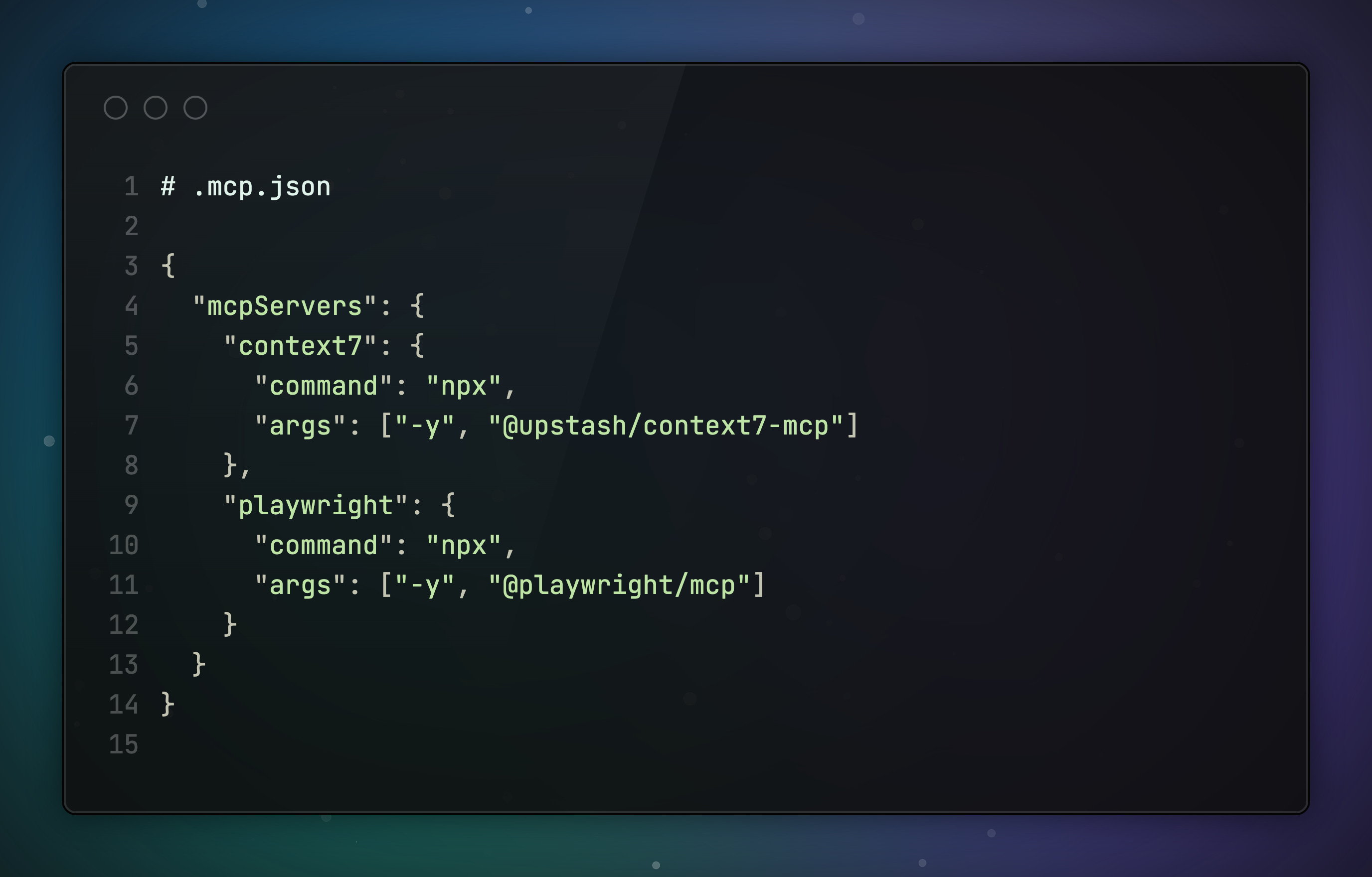
✅ Pro tip: Auto-approve trusted servers in settings to skip the permission prompt every session.
Less servers. More focus. Better output.
5. Putting It All Together
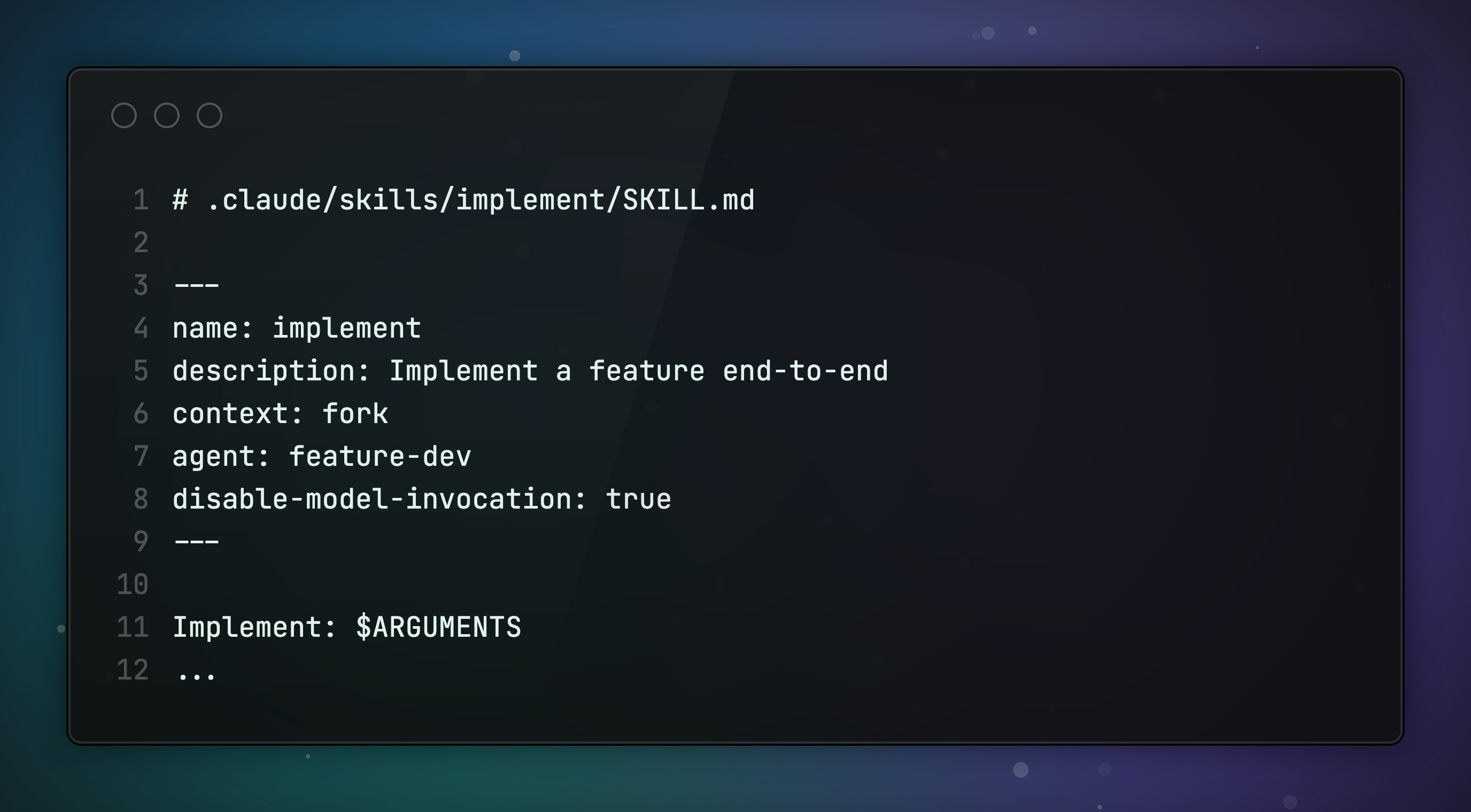
Skills can spawn agents. Agents can carry their own preloaded knowledge. When you combine these two ideas, you get safe, parallel, fully autonomous workflows.
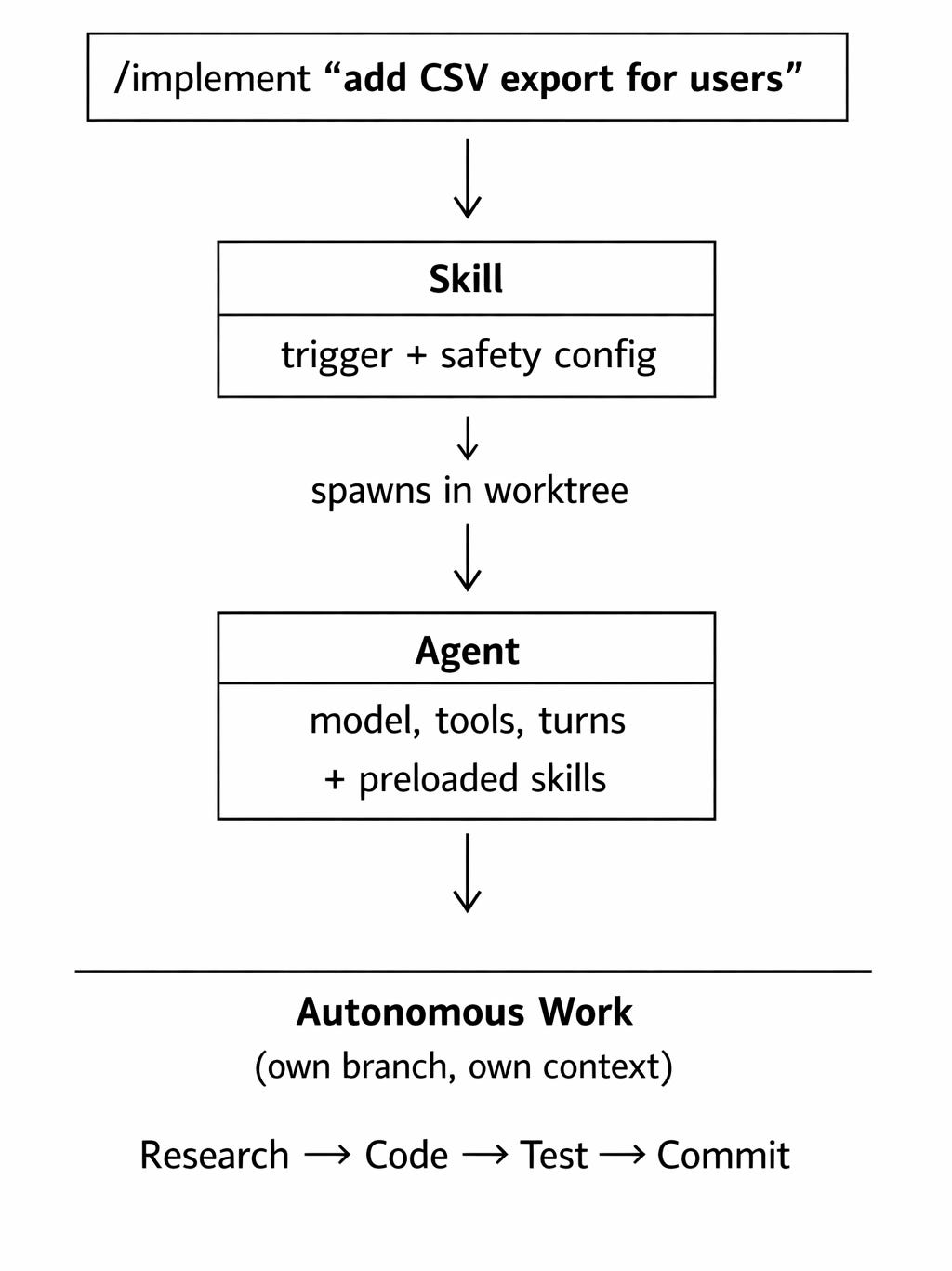
Here’s what it looks like in an example. Two files:
The skill:
The agent:
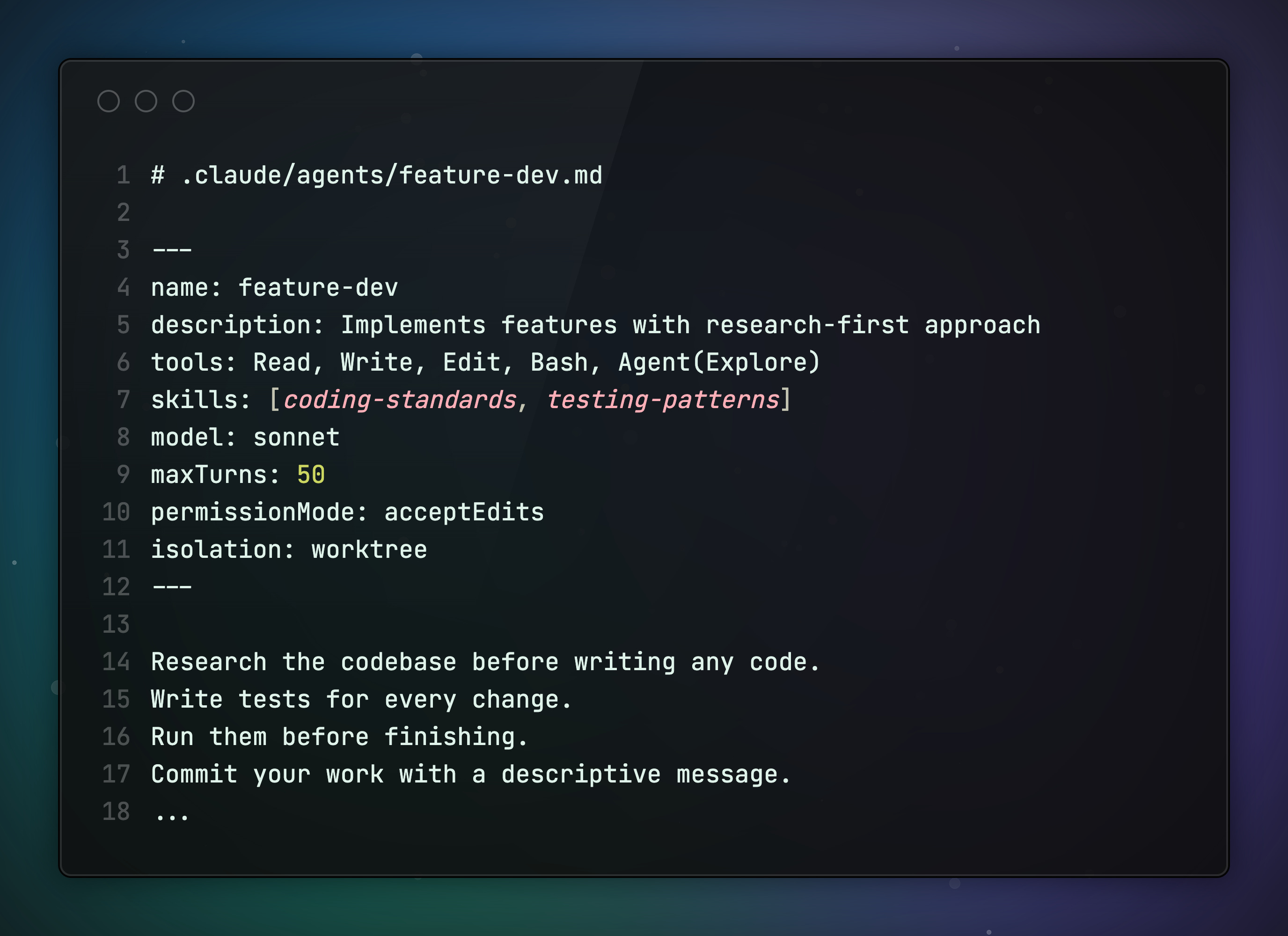
Here’s why this combo matters:
isolation: worktree : the agent works in its own isolated copy of the repo. Your working directory stays clean. You can run multiple /implement in parallel on different features.
permissionMode: acceptEdits : the agent auto-approves file edits. No clicking “allow” 50 times.
disable-model-invocation: true : Claude never triggers this on its own. You control when a full implementation kicks off.
skills: [coding-standards, testing-patterns] : the agent gets your coding standards injected into its context at startup. Every implementation follows your conventions without you repeating them.
maxTurns: 50 : the agent stops if it spirals. No infinite loops burning tokens.
The skill is the trigger with safety rails. The agent is the worker with execution config.
Now /implement "add CSV export for users" spawns an agent in its own isolated directory that researches, codes, tests, and commits. Autonomously.
This is the difference between using Claude Code as a chatbot and using it as an engineering system.
Stop Using Claude Code at 10%
None of these features are hidden. They’re all documented. But most developers never set them up.
Here’s my challenge: start with CLAUDE.md today. Even a 10-line file with your project’s conventions will change what Claude Code produces.
Then add one skill. Then one subagent. Layer it up.
The developers who treat Claude Code as a configurable system, not a chat window, will Craft Better Software.
What’s your Claude Code setup? Reply and let me know. I read every response.
Promote Yourself to 36,000+ subscribers by sponsoring this newsletter.
Useful post! I'm using Claude with multi-repo setup, in single Visual Studio Code workspace, I have multiple "thin" agents, and "thick" docs. Most of my work now is with agents, but I'm thinking about skills too.
What is your approach regarding what to put in agents vs skills?