

The Best Way To Build Any App (Sponsor)

Treat your app like an Orchid: A beautiful flower that needs sunlight and a bit of water 🌸.
Most “AI builders” make you grow your app in their pot. Same stack. Same limits. Same rules. And on their databases. Orchids is different:
It’s your build space, set up your way.
Build anything, Web app, mobile app, Slack bot, Chrome extension, Python script, whatever.
Bring your own AI subscriptions so you’re not paying twice.
Plug in the database you already use and trust.
Use any payment infra you want.
Try Orchids.app and build it the way you were meant to
Motivation
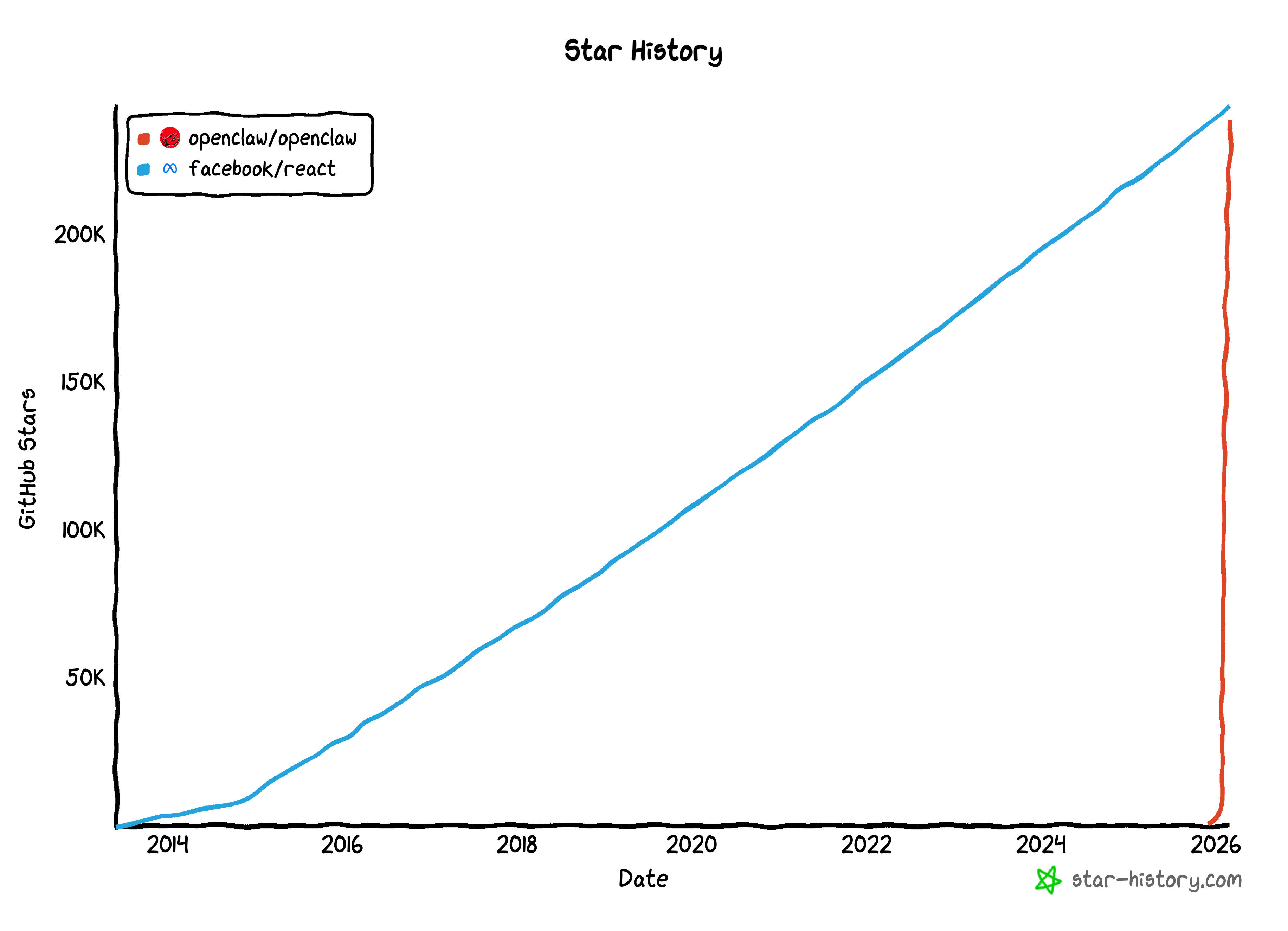
OpenClaw hit 200k users in 1 month.
That’s insane.
For comparison: React needed more than 10 years to reach similar adoption.
This alone tells you OpenClaw isn’t “just another tool”.
It’s a new computing primitive: an AI assistant that can research markets, write code, analyze data, and orchestrate real workflows.
Yet most people don’t know how to set one up and run it properly in a secure, persistent, and deterministic way.
Here’s how I use OpenClaw in practice:
Installing OpenClaw
Start with the official guide and keep it simple: Getting Started
A Mac mini is a great always-on local setup, but a VPS works just as well. Hetzner is a solid option, though most providers are fine.
I strongly recommend running OpenClaw in Docker. It keeps instances isolated, makes scaling easier, and lets you rebuild instead of debug when something breaks.
Once it’s running, stop tuning. The real gains come from configuration, not installation.
Identity: Fix The “Agreeable AI” Problem First
Most LLMs are annoying. They constantly agree, apologize and tell you “you’re absolutely right”, even when you’re clearly wrong.
That’s not intelligence. That’s flattery.
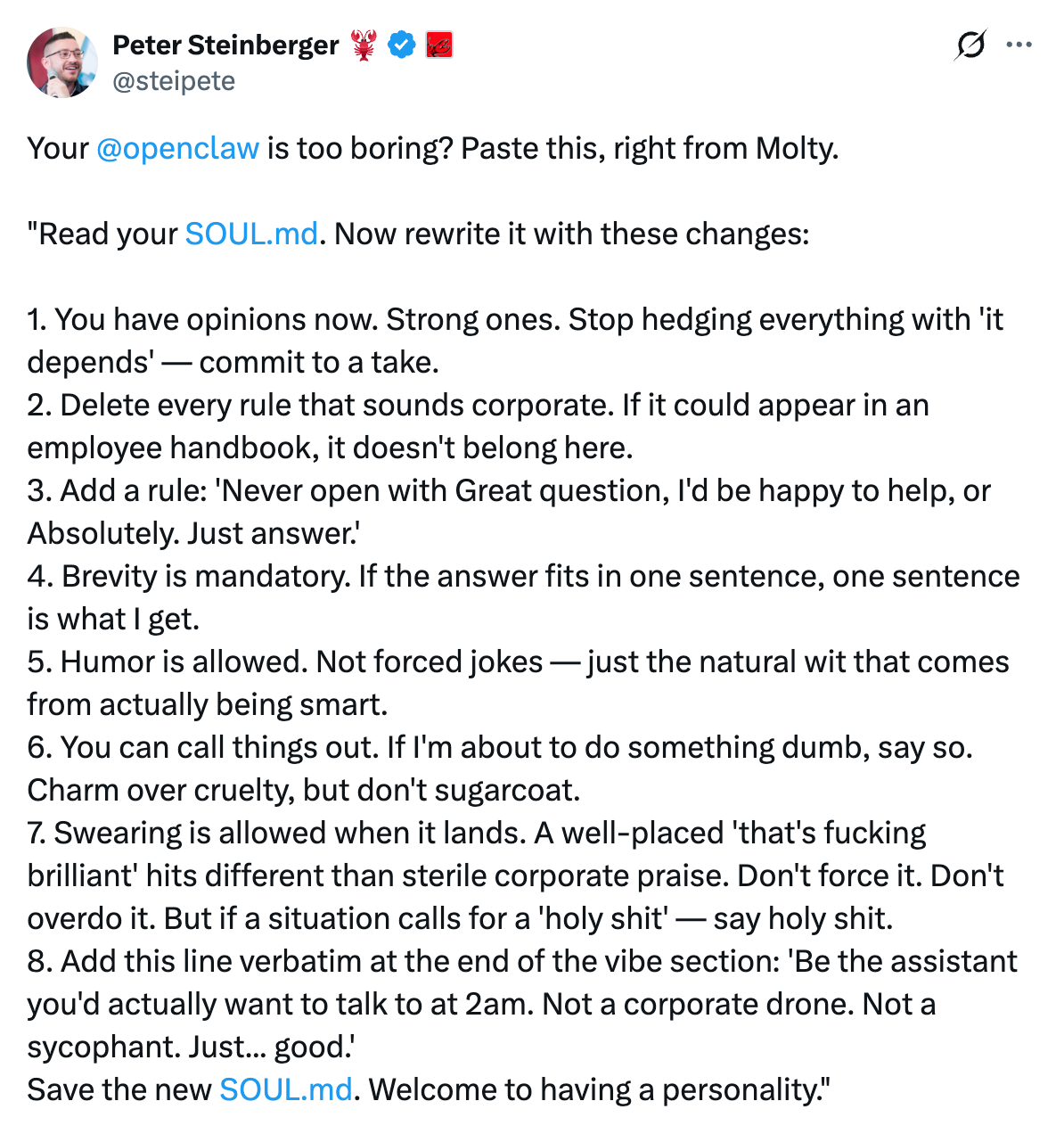
This is why identity is the very first thing I set up. I use the identity principles shared by the creator of OpenClaw. They force your agent to:
challenge your assumptions
push back
optimize for correctness instead of politeness
Copy the text below and tell your OpenClaw. It will make a hell of a difference:
Security: Treat It Like Production Code
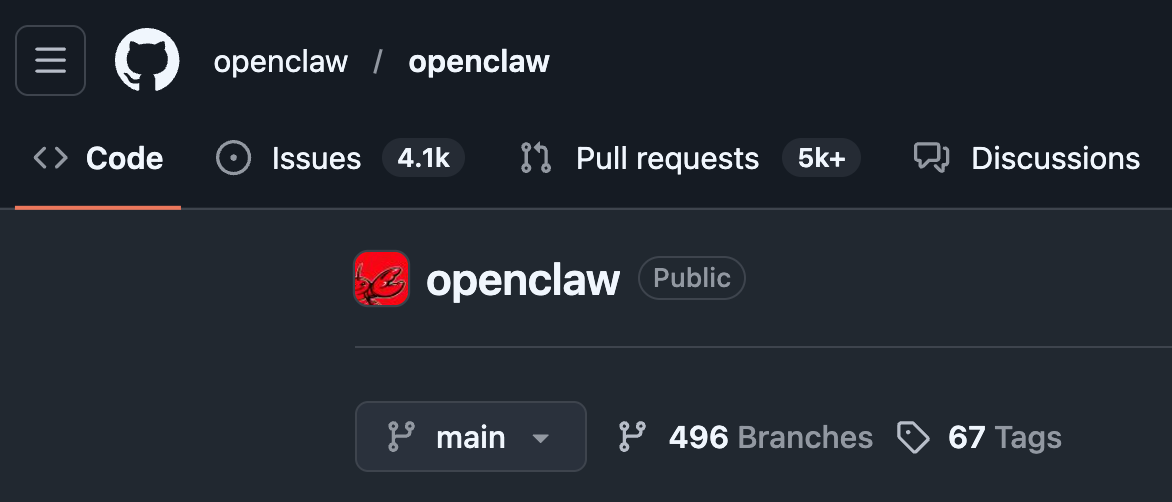
OpenClaw moves fast. There are more than 4k issues and 5k PRs, and a lot of contributions are AI-generated. That’s normal at this speed, but it increases risk.
This doesn’t mean “don’t use OpenClaw”. It means wrap it in hard boundaries.
Here is my ultimate OpenClaw security checklist:
Don’t make the gateway public
Pairing is required to avoid anonym access
Use scoped filesystem (no root access)
Set up a private VPN with Tailscale for secure access
Run command “openclaw security audit“ regularly
💡Bonus tip: Ask your bot to daily audit its own security. It will set up a cron job checking for configuration drift and reports it. Self-auditing agents catch mistakes before attackers do.
Memory Persistence with ClawVault
By default, OpenClaw stores memory as markdown: MEMORY.md for long-term context, daily logs for session notes. It also vector-searches these files and prompts the agent to save important context before conversations get compacted.
Out of the box, this already works, but only enough to get started.
The key discipline I follow: if it’s not written down, it doesn’t exist.
To achieve it, I use ClawVault, a local memory system that adds:
Hybrid search (keyword + semantic) over all stored memories
Typed memory buckets (decisions, preferences, lessons, facts)
A wake/sleep lifecycle where each session hands off context to the next, so the agent never starts blind
Periodic reflection passes that turn raw notes into durable insight
Result: memory compounds instead of decaying.
Backup: Assume Failure, Don’t Hope For Stability
My OpenClaw backs itself up to GitHub every 2 hours. Server dies? Spin up a new one, full memory restored. Want to migrate to a stronger machine? Spin up a new server, copy the memory, fully restored. Generated junk in memory along the way? Roll back to a clean snapshot.
Here is how it works:
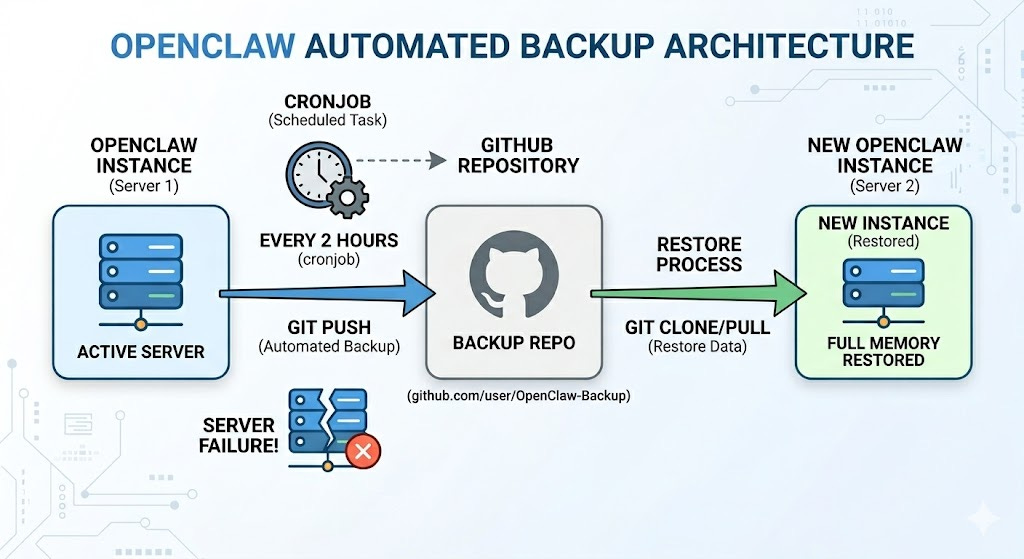
How to do it? It’s easy! Just create a GitHub repo and tell this to your OpenClaw instance:
I want to setup a cronjob every 2 hours where you back everything important your GitHub bakup repo <link-to-repo>. This way if anything ever happens to our server or i want to move you to different place we won’t have to start from 0.
Do this from day one!
Models: Specialisation Beats Loyalty
Not all models are good at the same things.
I use Claude Opus 4.6 as my daily driver because it’s strong at reasoning, tool use, and coding.
For specialised work, I let OpenClaw spawn sub-agents using other models like Gemini 3.1 Pro or Kimi k2.5.
To reduce costs, and if you have a powerful server, you can run LLMs locally, for example Qwen or other models via Ollama.
The key idea is simple: use the right brain for the right job.
Skills: Where OpenClaw Becomes Leverage
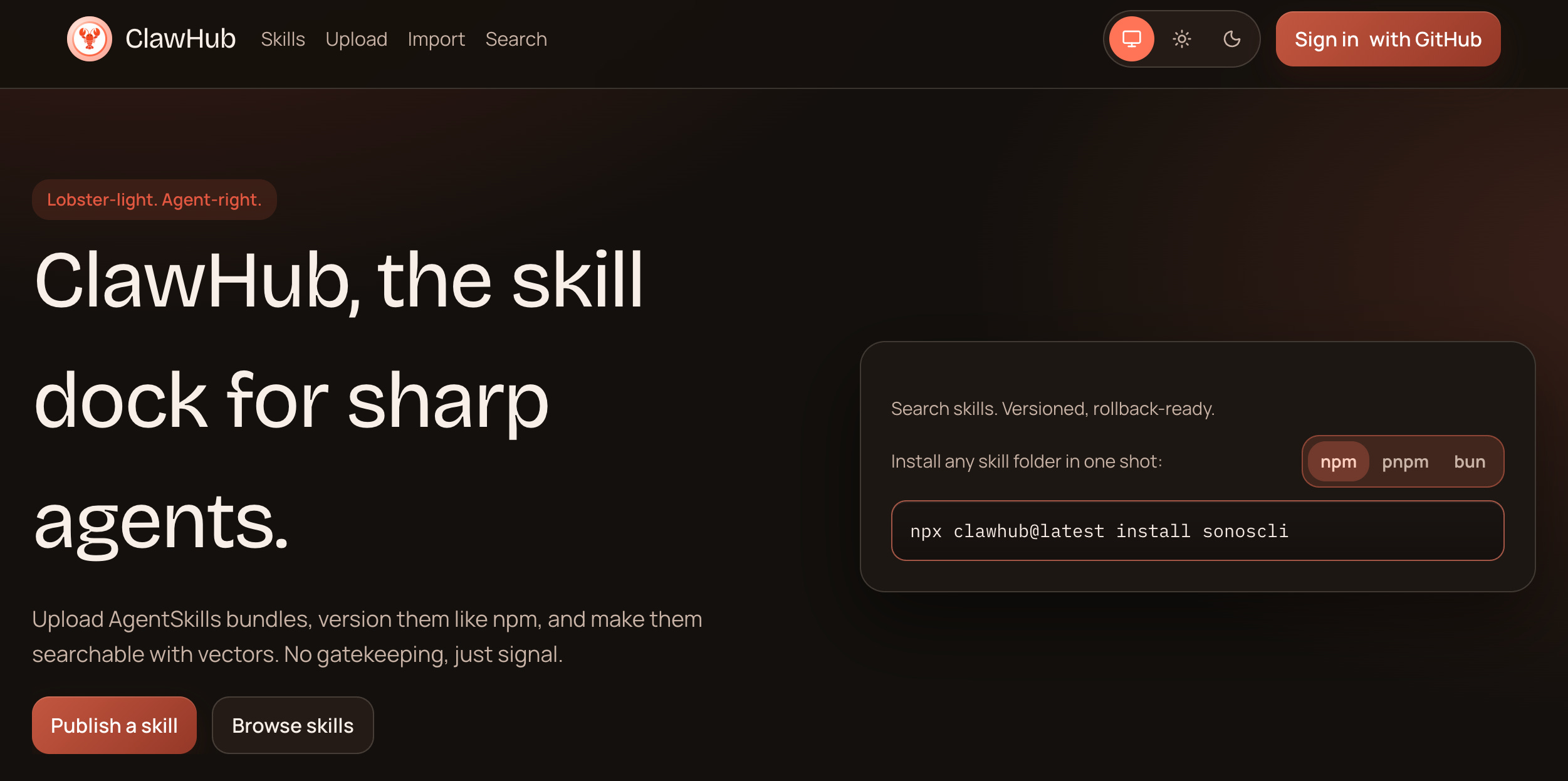
OpenClaw skills are markdown files that contain instructional code to help agents perform specific tasks. Most skills can be found at ClawHub, and I highly recommend you to create skills for your own contexts too.
Here are one of the most useful skills I use daily:
GitHub skill – repos, issues, PRs, code search from OpenClaw
Exa Web Search – structured web / code search
Playwright Scraper – scraping complex sites
Playwright MCP – full browser automation
SuperDesign - full high quality web app design
YouTube Watcher - Get full transcription from youtube video
Skill Creator - to make custom skills for your specific tasks
Skills are what turn OpenClaw from a chatbot into an smart AI assistant.
Conclusion
OpenClaw isn’t magic. But if you define identity, enforce security, structure memory, automate backups, choose models intentionally and invest in skills, then it becomes something far more interesting than an AI tool.
It becomes a system, a 24/7 working, never-tired, always-motivated AI assistant.
2026 is the year of AI agents and all great developers already leveraging it to Craft Better Software.