

Only 2 Days Left to Save $100

This week I launched AI Agent Engineer: a 3.5+ hour video course on agentic engineering, from harness engineering and testing best practices to building your own AI assistant that codes while you sleep.
Now you get $100 OFF. Only 2 days left.
Get instant access by clicking here
Motivation
Skills are one of the most powerful tools in agentic engineering.
They teach your AI agents how to perform specific tasks consistently, without figuring everything out from scratch.
But most developers build them wrong.
As a consultant, I review agent skills for engineering teams. And I keep finding the same 7 mistakes in almost every repository.
These mistakes make agents less reliable, waste context, and produce inconsistent results.
In this article, I’ll break down all 7 mistakes and show you exactly how to fix them.
But first, let’s understand what an agentic SKILL actually is.
Anatomy of a SKILL
The #1 misconception is that a skill is just a markdown file. It is not.
A skill is a folder. SKILL.md is just the entry point.
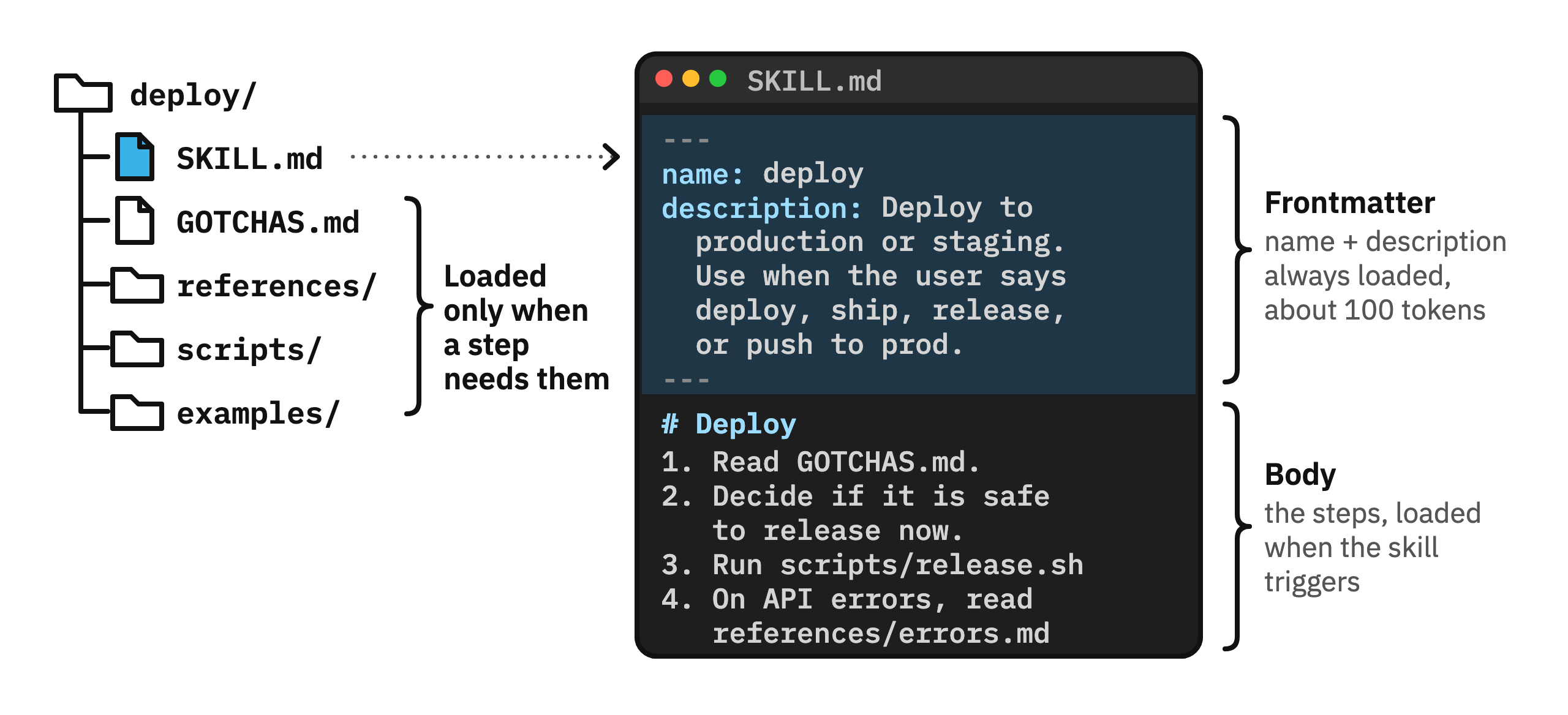
The real power is in the supporting files. Scripts your agent can execute. Reference docs it reads on demand. Templates it fills in. Config files it checks.
1. Keep SKILL.md short. Move details to reference files.
Most skills I review still have one 800-line SKILL.md.
The agent loads all 800 lines every time the skill triggers, even when the task needs only 50 of them. The other 750 lines fill the context window, so every run costs more tokens and performance degrades.
A skill loads in three stages:
Name and description: loaded at startup for every skill, about 100 tokens each.
SKILL.md body: loaded when the skill triggers.
Other files: loaded only when a step needs them. A file the agent never reads costs 0 tokens.
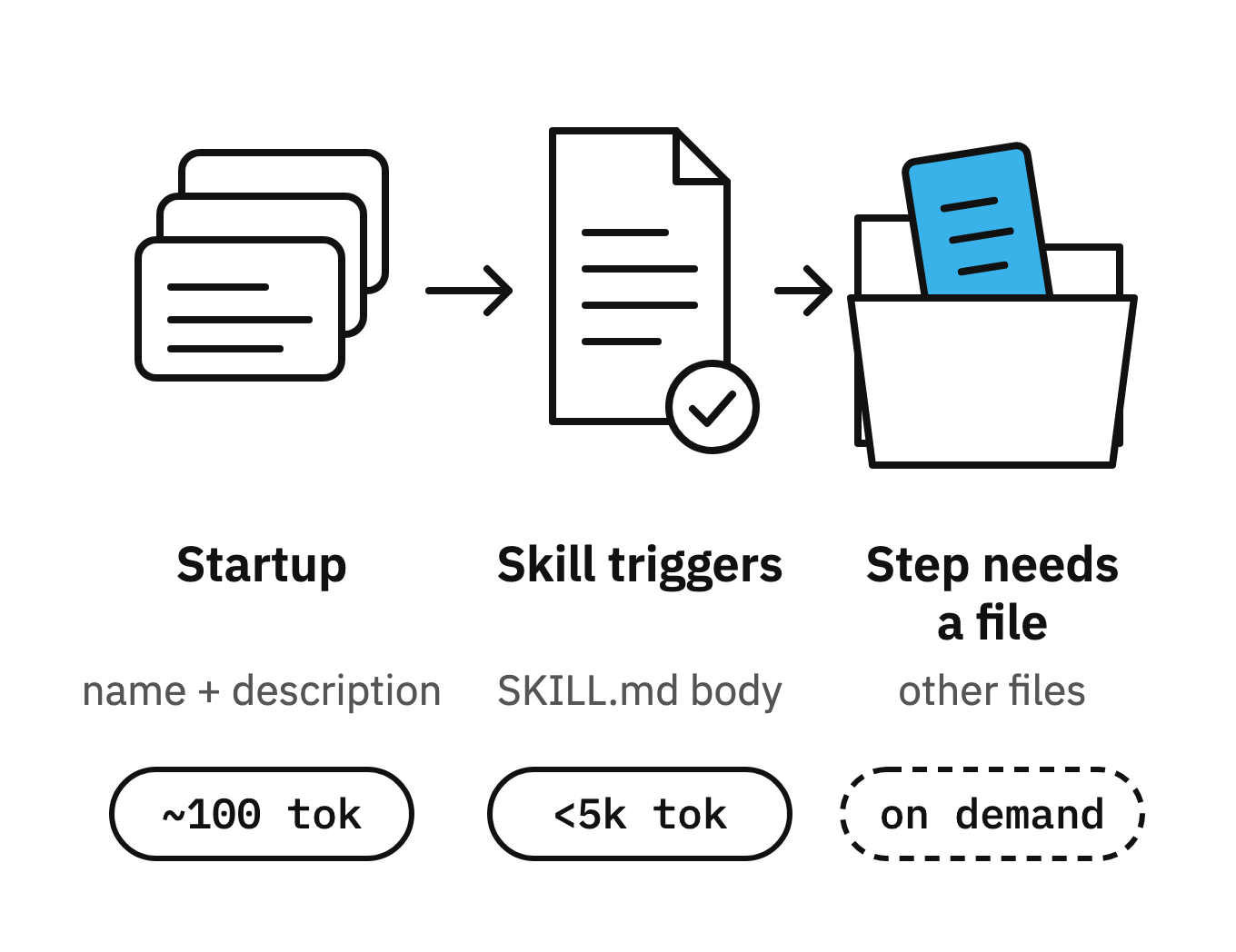
This is progressive disclosure: the agent loads the skill in stages, as the task needs each one.
Four rules keep the files easy for your agents to find and read:
✅ SKILL.md body: under 500 lines. Move the rest into other files.
✅ One level deep: link every file directly from SKILL.md. The agent then reads each file in full when a step needs it.
✅ Table of contents: put one at the top of any reference file over 100 lines. Agents often preview only the first 100 lines of a referenced file, so the table of contents still shows them every topic the file covers.
✅ Clear file names: the agent picks a file by its name, so name it for its content: errors.md, api-limits.md.
2. Separate the Mechanics from the Judgment
This is the biggest mistake I see in most repositories.
Most skills I review write every step as instructions.
The problem is that AI models aren’t deterministic. The same instructions in SKILL.md can produce different results on each run.
To fix it, separate the mechanical parts from LLM judgment.
If a step must run the same way every time, make it a script:
Mechanics go in scripts: every step that has one correct result, such as builds, file changes, API calls and checks.
Judgment stays in SKILL.md: every decision that depends on the situation, such as what to include, whether it is safe, and how to word it.
For example:
❌ Bad: “Bump the version, build, tag, push, then run smoke tests.”
✅ Good: “Run scripts/release.sh, then pick 3 highlights for the release notes.”
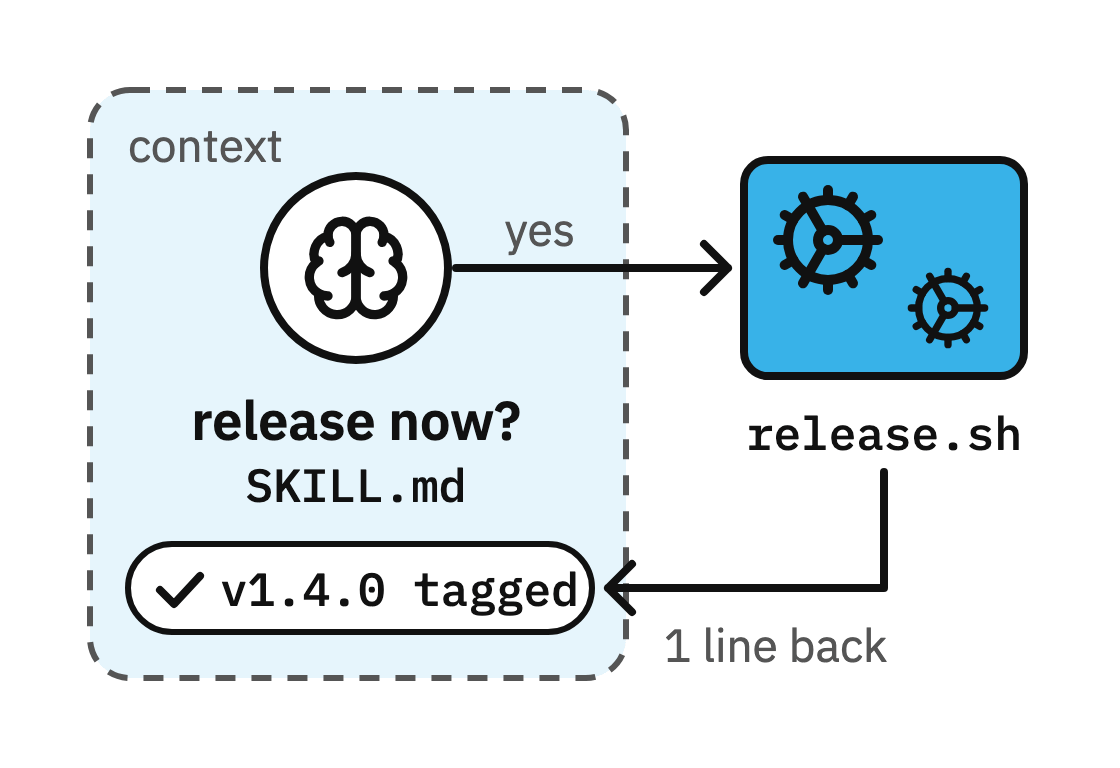
Now every release follows the same steps. The script returns only the result, for example “✓ v1.4.0 tagged”, so the model’s context does not fill up with unnecessary build logs.
Let scripts handle the mechanics. Let agents handle the judgment.
3. Write Descriptions in the User’s Words
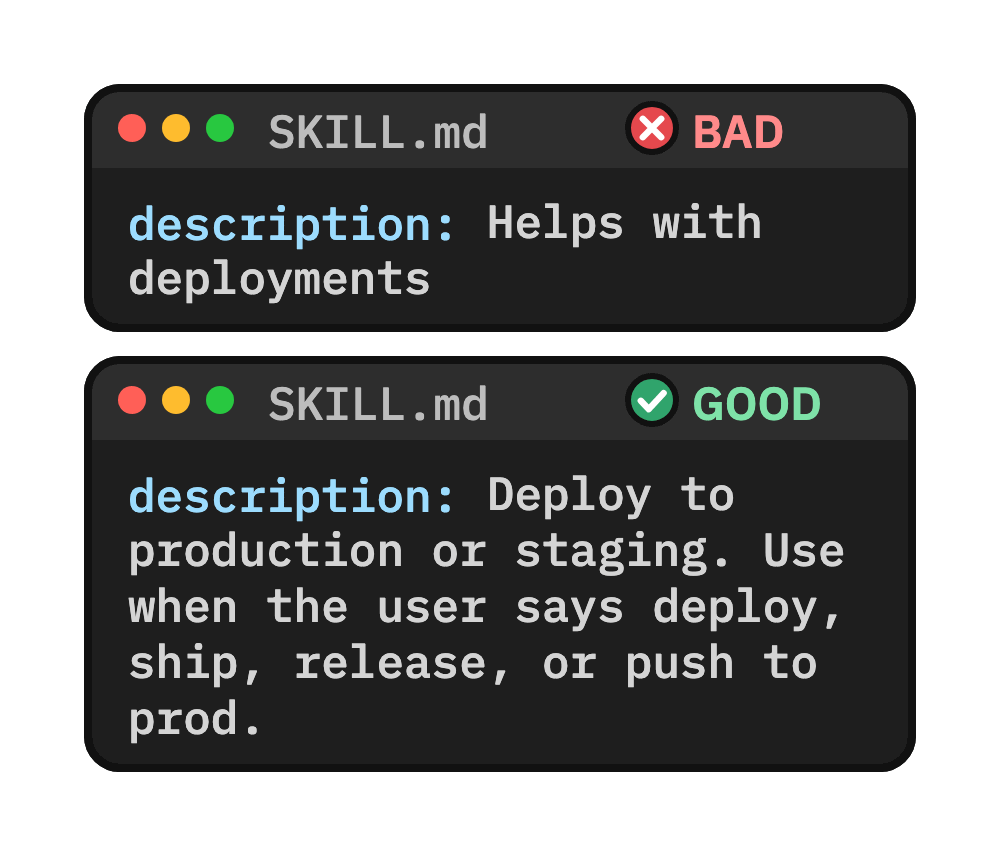
Most skills I review have a description like “Helps with deployments”. That skill never loads.
At startup, the agent reads every skill’s description to decide which skill fits a request. The description is the trigger.
Users type “release”, “ship it” or “push to prod”, and “Helps with deployments” contains none of those words.
A good description says what the skill does and when to use it, in the words the user types.
A few tips:
✅ Put the trigger words first.
✅ Keep it under 1,024 characters. That is the limit for the description field.
✅ Test it: ask for the task in plain words, for example “ship it”, and check that the skill loads.
4. GOTCHAS.md for Mistakes
Every skill fails from time to time, and it usually fails for the same few reasons: a wrong unit, a missing environment variable, a step run in the wrong order.
In most skills I review, nobody writes those reasons down, so the agent makes the same mistake again on the next run.
GOTCHAS.md lists the mistakes the agent made inside this skill, one line per mistake.
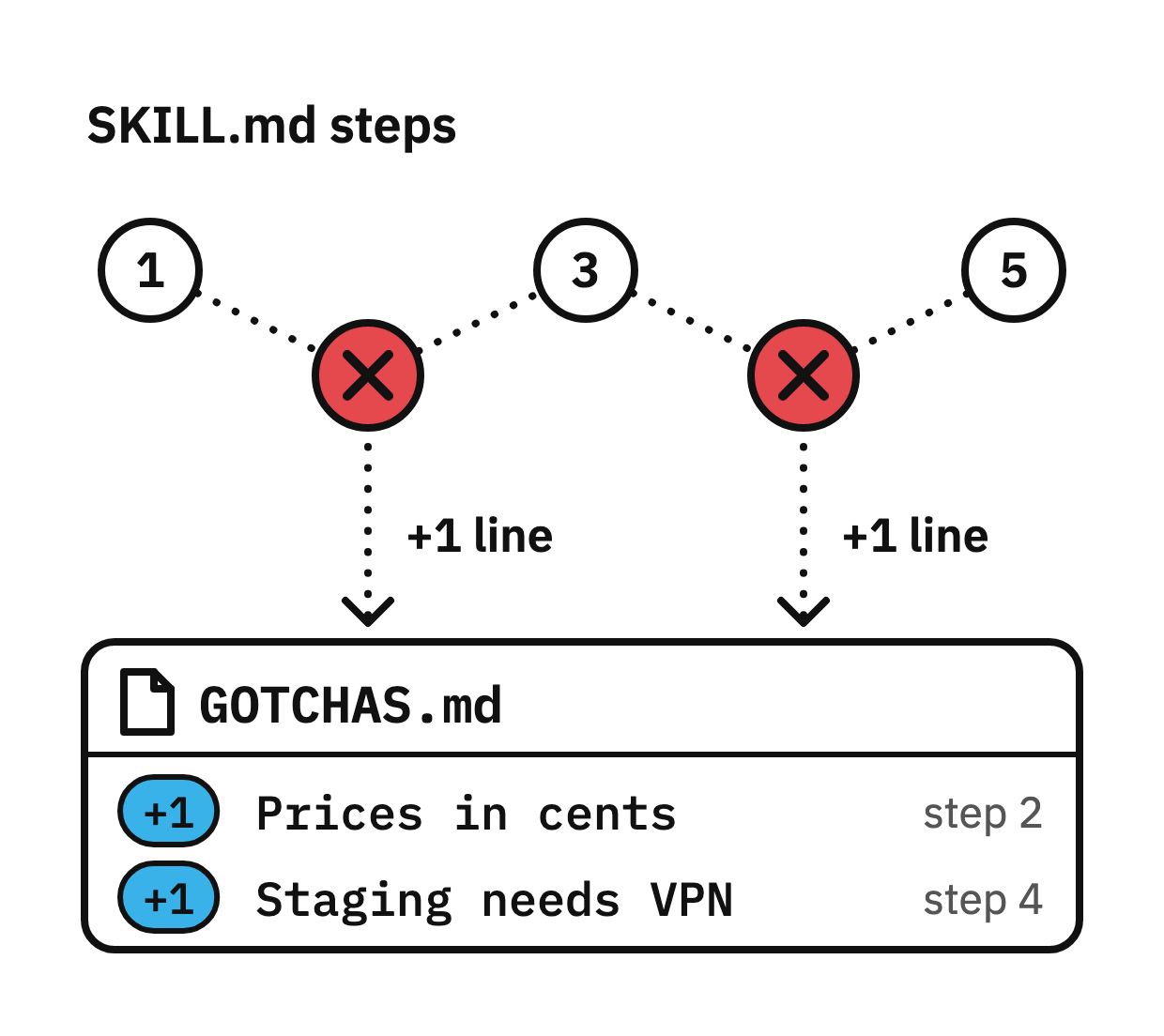
SKILL.md tells the agent to read it before the first step, so the agent sees every past failure before it starts.
A few rules to keep in mind:
✅ Add a line after a real failure
✅ Write the fix as a rule: “Prices are in cents. Never use floats.”
✅ Point to it from SKILL.md: “Read GOTCHAS.md before step 1”
❌ Don’t add rules the agent never broke. They cost context and change nothing (more on this in tip 6).
GOTCHAS.md is the highest-signal file in a skill, because every line comes from a real failure.
💡 Keep the file short. When a gotcha becomes a permanent rule, move it into SKILL.md or a script and delete it from GOTCHAS.md.
5. Add an Examples File
Most skills I review describe the output in ten rules and never show one finished output.
One example beats ten rules. The agent copies the exact shape of a finished example: the sections, their order, and the level of detail.
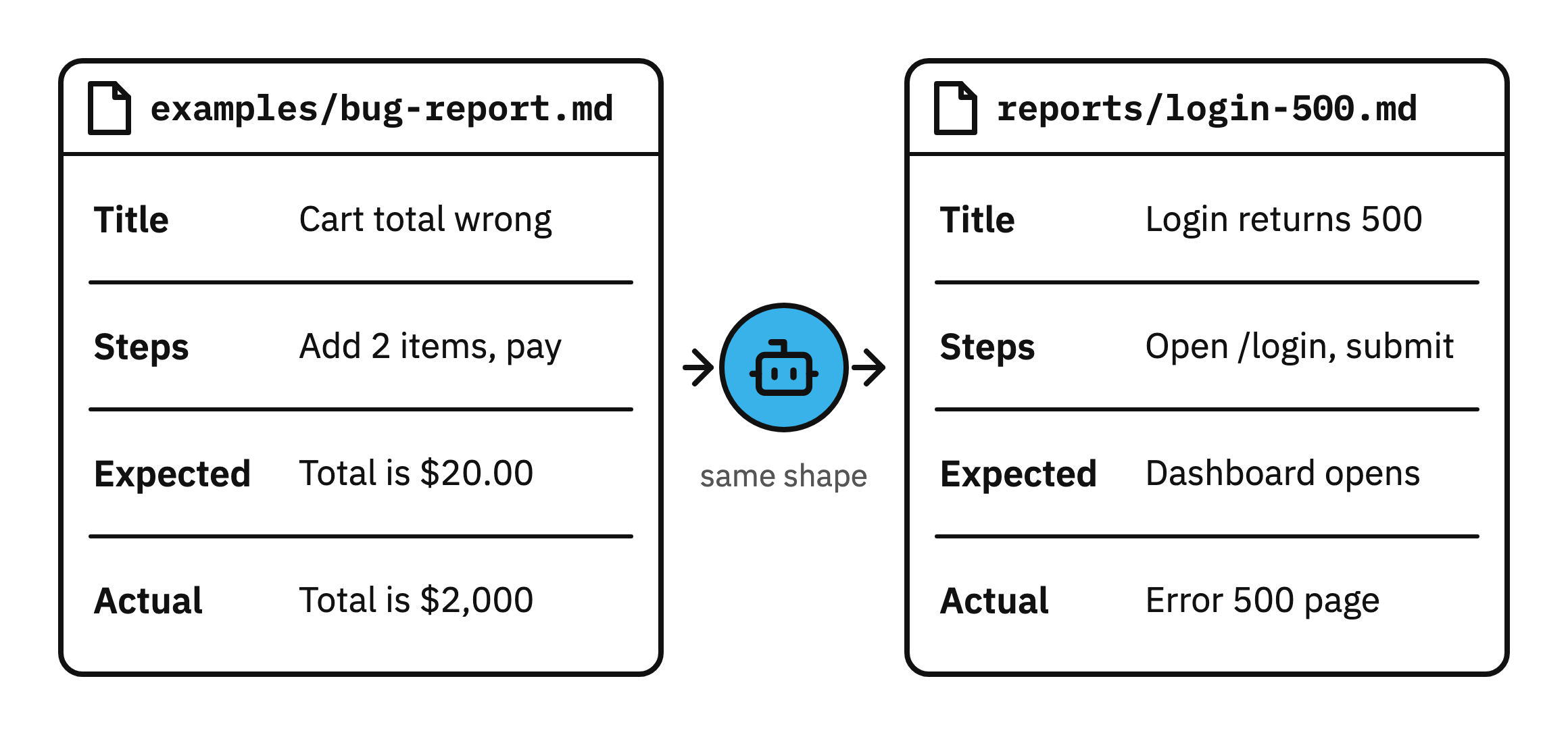
Here is a bad and a good instruction in a bug-report skill:
❌ Bad: “Start with a short title. Number the steps. Add an Expected section and an Actual section.”
✅ Good: “Write the report in the shape of examples/bug-report.md”
6. Delete No-Op Lines
Stop telling your agents “Write readable code”. They already know that the code should be clean.
A no-op line changes nothing in what the agent does. The model already knows it, and the line still costs context on every run.
❌ “Write clean, readable code.” - The model already does this.
❌ “Handle errors properly.” - It names no concrete step.
✅ “Staging works only over the VPN.” - The model cannot know this.
✅ “Run the tests with scripts/test.sh.” - It names the exact command.
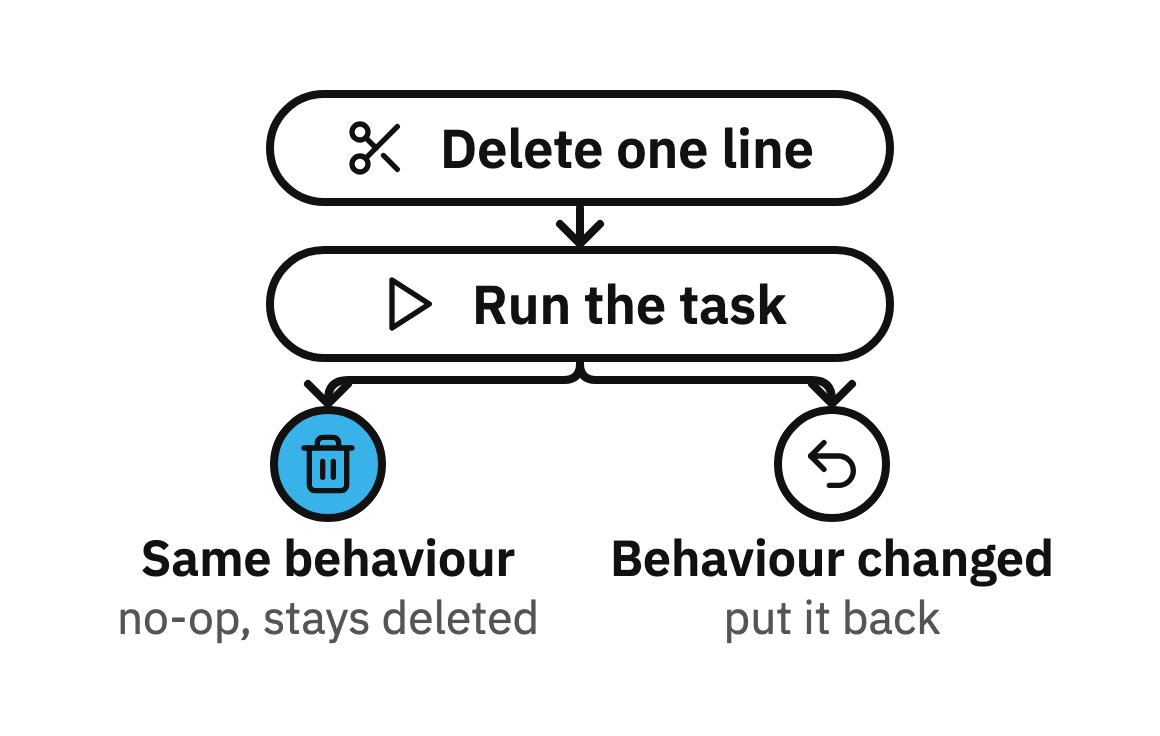
To test a line in your SKILL.md, delete the line and run the task. If the agent behaves the same, the line was a no-op and stays deleted.
If the behaviour changes, put it back. You can ask your agent to do this exercise for you, so it can clean its skill itself.
💡 Models already know how to write clean code. Spend your lines on what only your project knows: commands, paths, limits and past failures.
7. Save Skills in One Central Brain
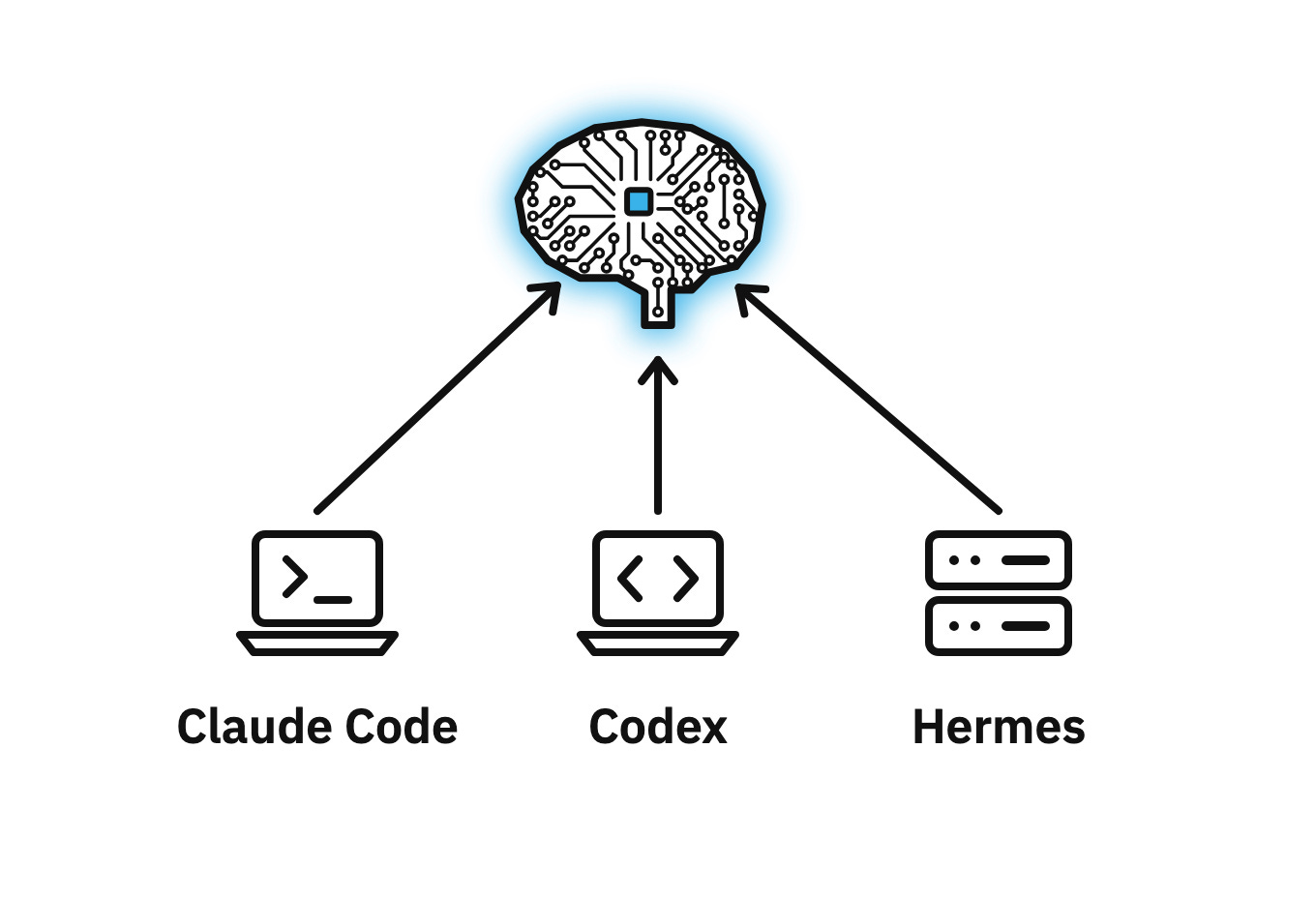
Don’t create a copy of each skill for each agent and each machine.
If you fix a skill on your laptop, the copy on your server still runs the old version.
Keep your skills in one git repo, your second brain, and connect every agent to it:
Global skills go in the brain: debugging, testing, review.
Link the brain’s skills/ folder into ~/.claude/skills/, so every Claude Code session loads them.
Project skills stay in the project, in .claude/skills/.
Skills are an open standard, so the same folder runs in Claude Code, Codex and Cursor.
My Claude Code on my laptop, my cloud agents and my Hermes agent running on my own server load skills from the same repo, so they all behave the same.
Final Thoughts
SKILLs are the most important building blocks of agentic engineering. To master them, I created a cheatsheet for you, feel free to download and use it:
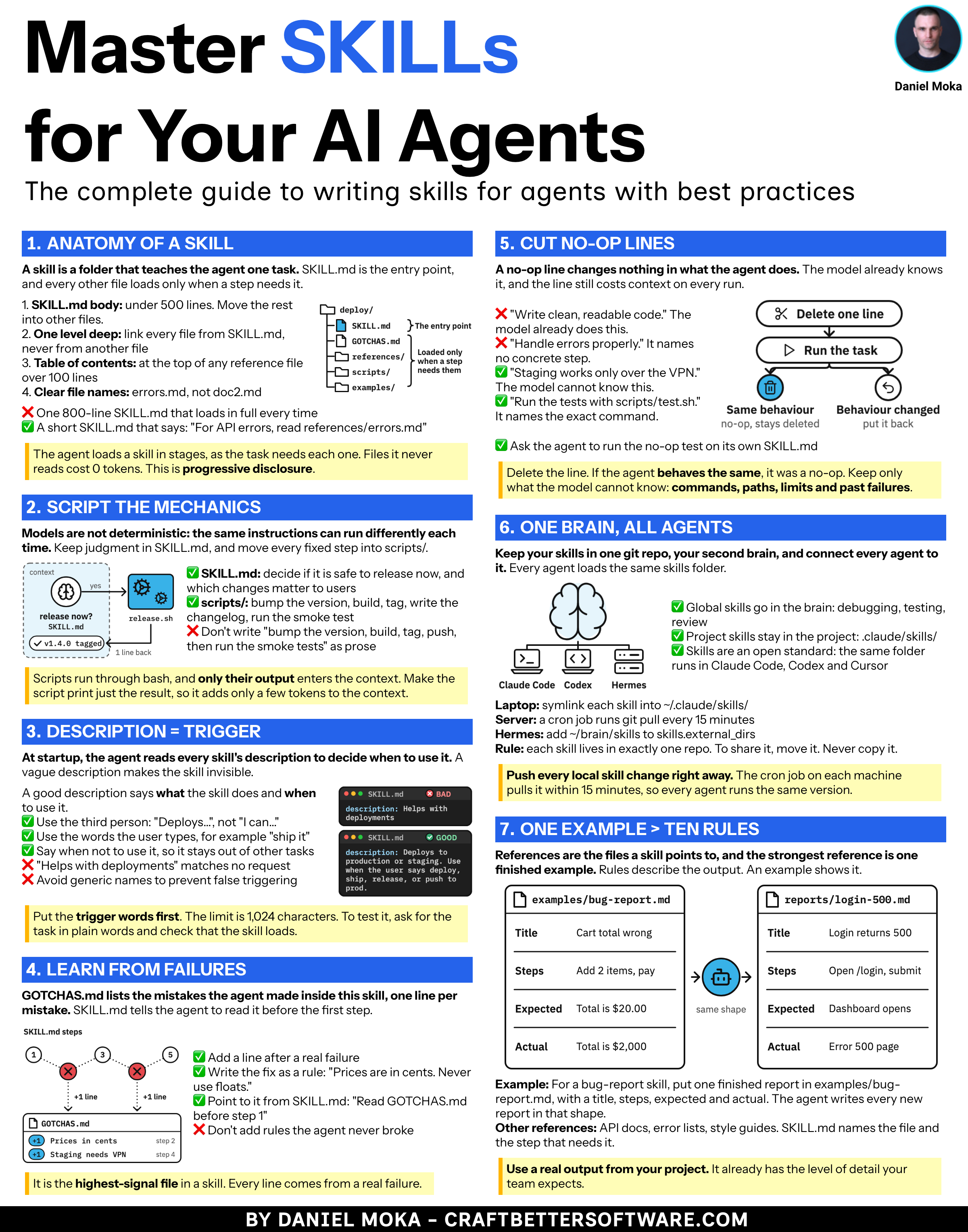
If you want to build AI agents that write tested, reviewed code, join my AI Agent Engineer course. Module 2 teaches you to write skills like these for a real app.
Only 2 days left to get $100 OFF.
Get Started Here: aiagentengineer.dev